
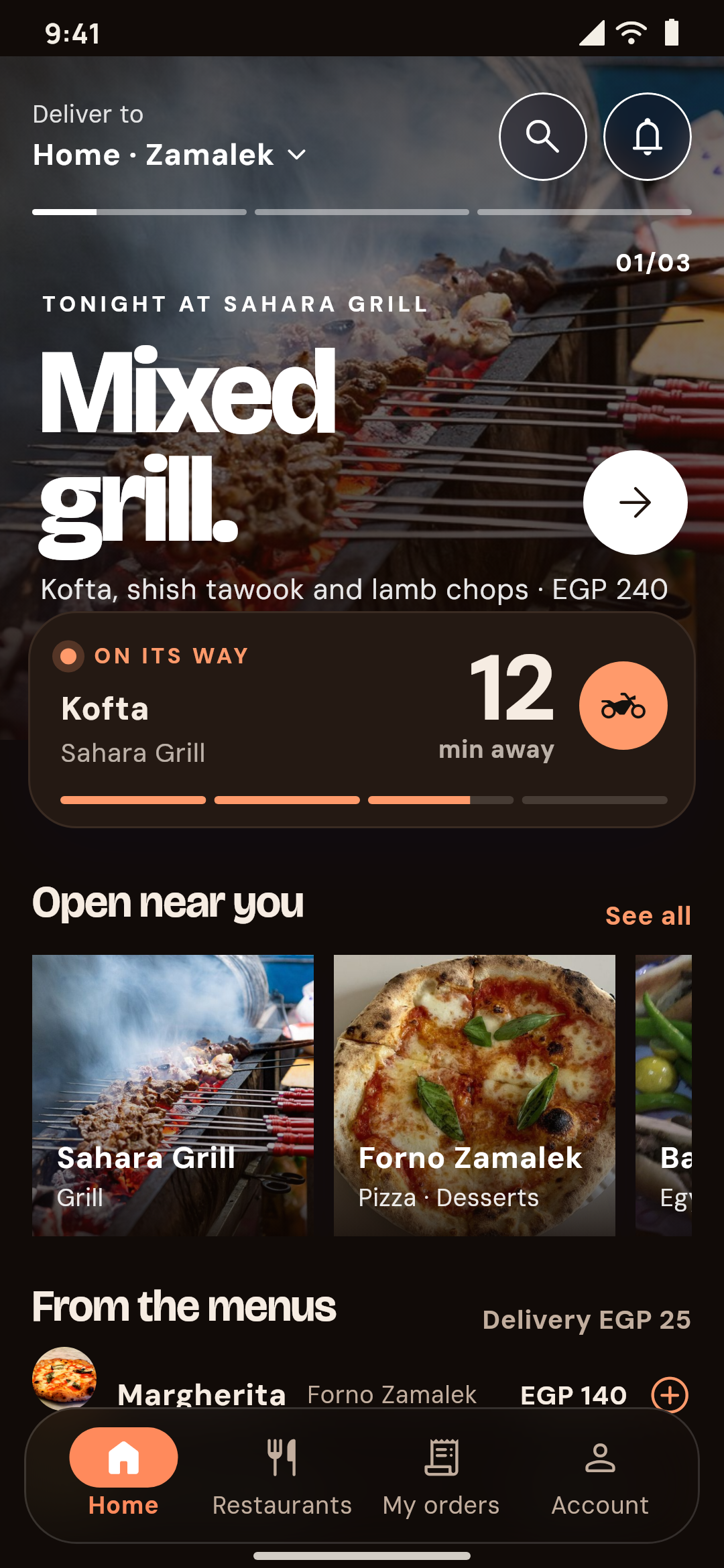
Sofra Eats in its first look, Editorial menu, by night: tonight's dishes in a hero slider, the order on its way, the restaurants open nearby and dishes from the menus
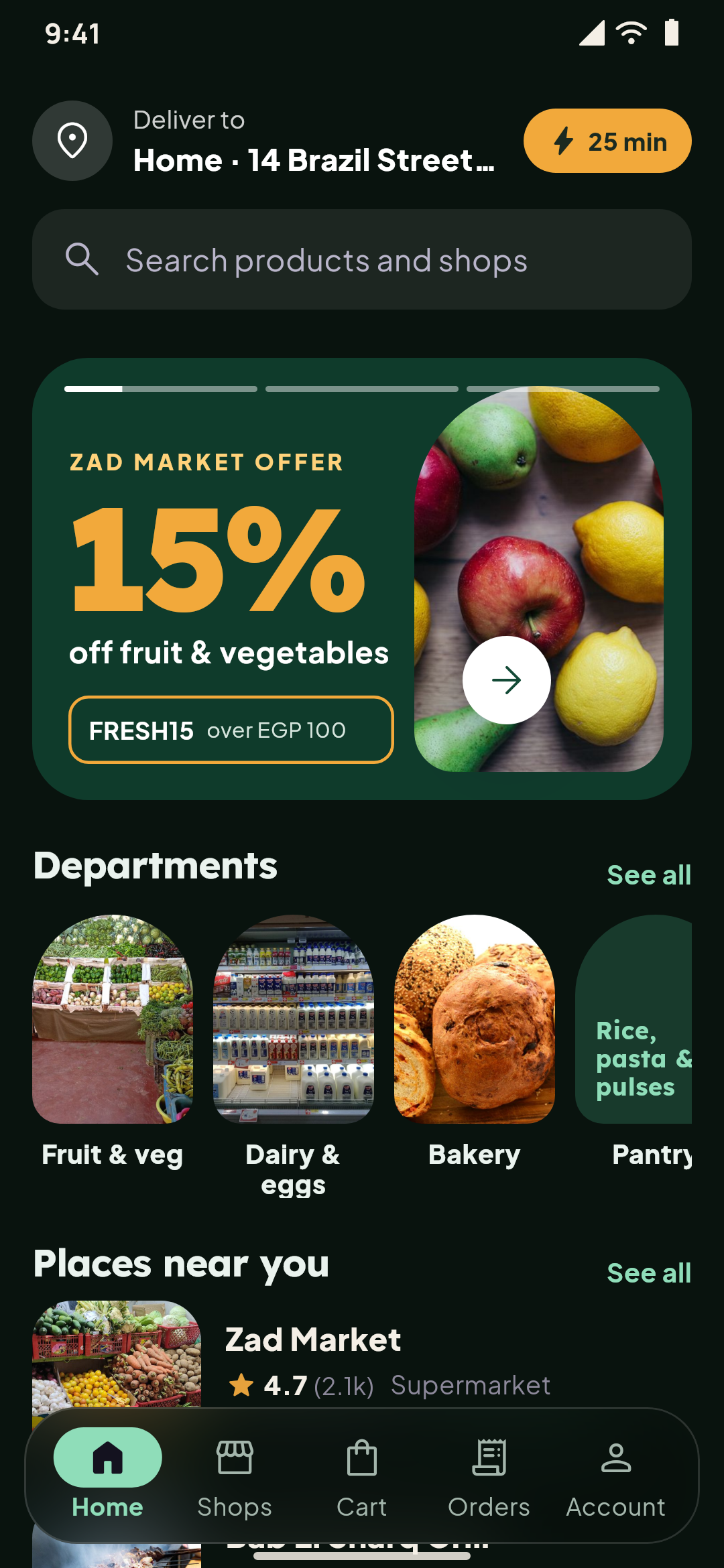
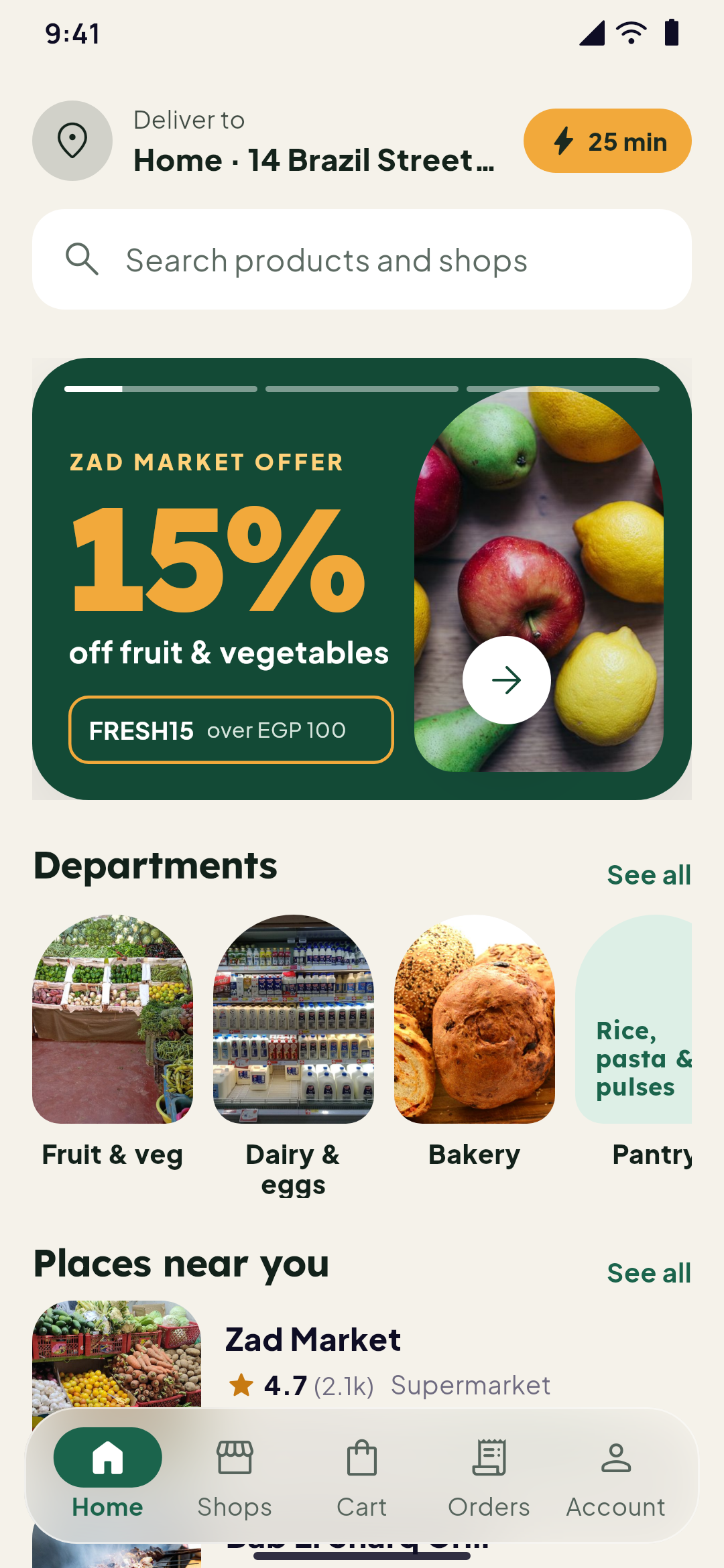
A multi-vendor app's home: the delivery address with the soonest time, this week's offers as green posters, the departments as arch photos and the places near you
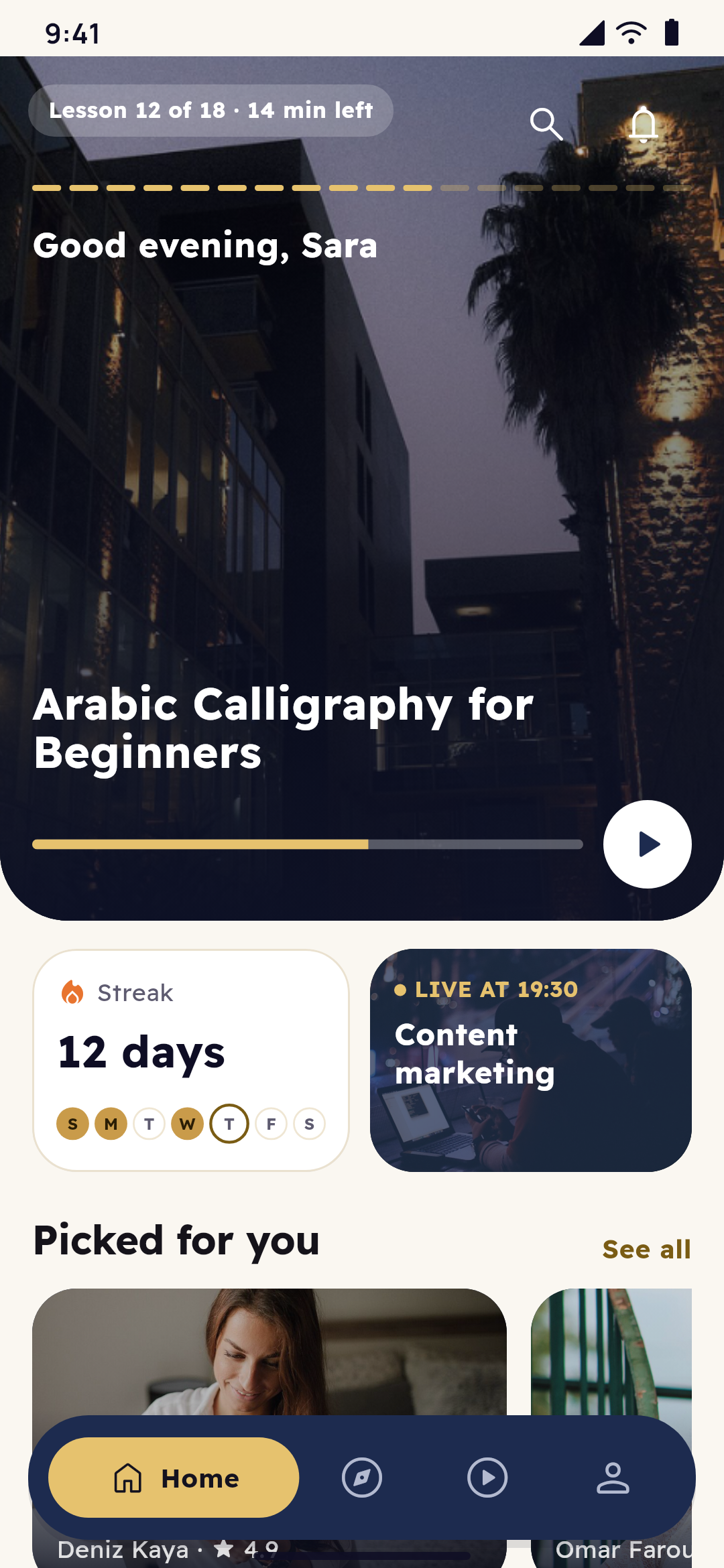
The premium academy's home: the course the student is taking full screen, their streak with this week's days, their next live class and courses picked for them
Real screens of apps made with Yallapp.
Yallapp's offer for 2026

Black Friday50%offevery plan, for regular apps and Yallapp Studio

Friday evening, 21:00

For years you've said it: one day, we'll have our own app.

Your name on the stores. Your colours on your customers' phones.

Tonight the prices fall, and one day becomes today.

Your own Android and iOS app, in your name on the stores, for 50% less: monthly or yearly, on the payment you make with the code.

1–30 November 2026, Istanbul time

Your codeBLACKFRIDAY50

21:07 · The price falls

You open the prices, ready for the usual number.

An orange line cuts straight through it.

The same plan, the same app: 50% less on the payment you make with the code.

What you get for less

Every plan, 50% off

The normal price, struck through, and what you pay with the code, in your currency. These are the prices the payment form charges.

  • −50%

    Starter

    An Android app, published by you with our guides
    Normal price: $185 per yearWith the code: $92.50per yearYou save $92.50On the payment you make with the code. After it, $185 per year.
    • Up to 1,000 users
    • 1 language
    • Android
    • 2 GB for videos and files
    • 4 app stores · You publish with our guides
    • Android app (APK & AAB)
    • 1 connected platform
    • Up to 1,000 app users
    • 1 app language
    • Push notifications
    Start with Starter
  • −50%

    Pro

    We publish your apps for you
    Normal price: $556 per yearWith the code: $278per yearYou save $278On the payment you make with the code. After it, $556 per year.
    • Unlimited users
    • All languages
    • Android and iOS
    • 25 GB for videos and files
    • 5 app stores · You publish with our guides
    • Everything in Growth
    • Unlimited app users
    • All app languages
    • We publish to Google Play & App Store
    • Automatic store updates
    Start with Pro
  • −50%

    Business

    A partner for your app
    Normal price: $1,111 per yearWith the code: $555.50per yearYou save $555.50On the payment you make with the code. After it, $1,111 per year.
    • Unlimited users
    • All languages
    • Android and iOS
    • 50 GB for videos and files
    • 5 app stores · We publish for you
    • Everything in Pro
    • A dedicated account manager
    • Custom features on request
    • Several team members
    • Fastest support
    Start with Business

Prices in US dollars. Card payments go through Kashier and are charged in Egyptian pounds (EGP); your bank converts the amount.

Compare every plan

21:30 · The shop window

The street is lit, and behind every window is a different business.

A café, an academy, a shop, a clinic, a fleet of couriers, each with screens of its own.

Somewhere on this shelf, yours is waiting.

Choose what you're building

One platform, the app your business needs

Pick your kind of business to see one of its real screens, what the app does, its page and its demo to try.

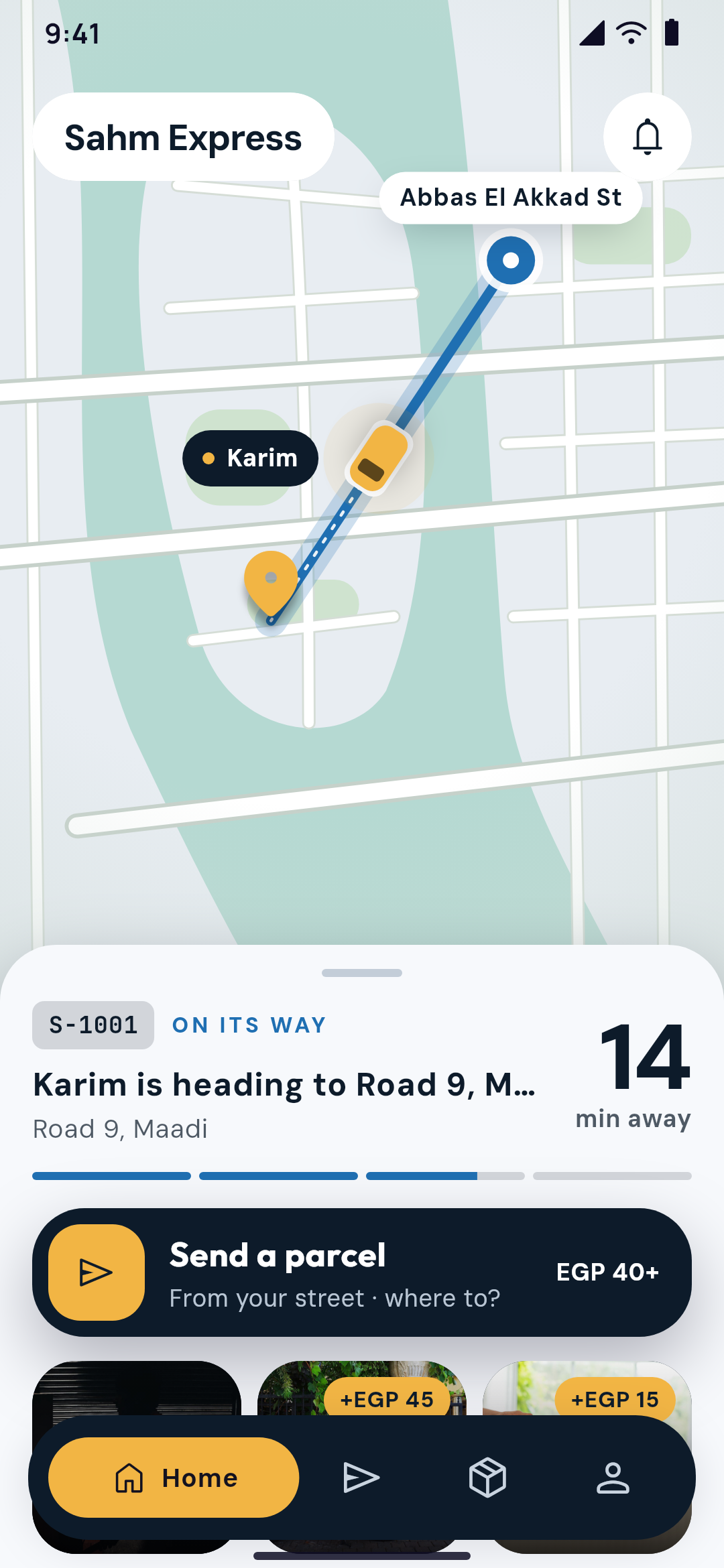
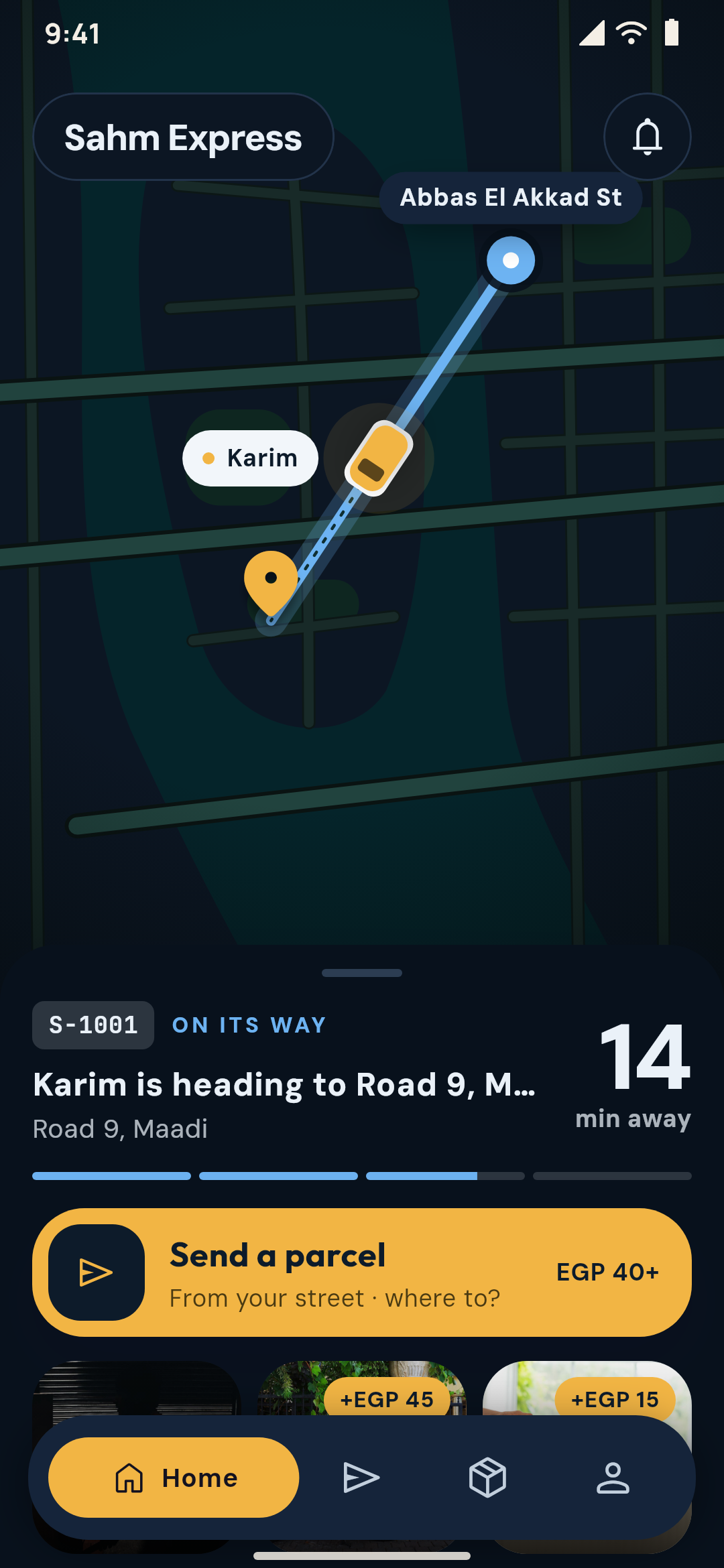
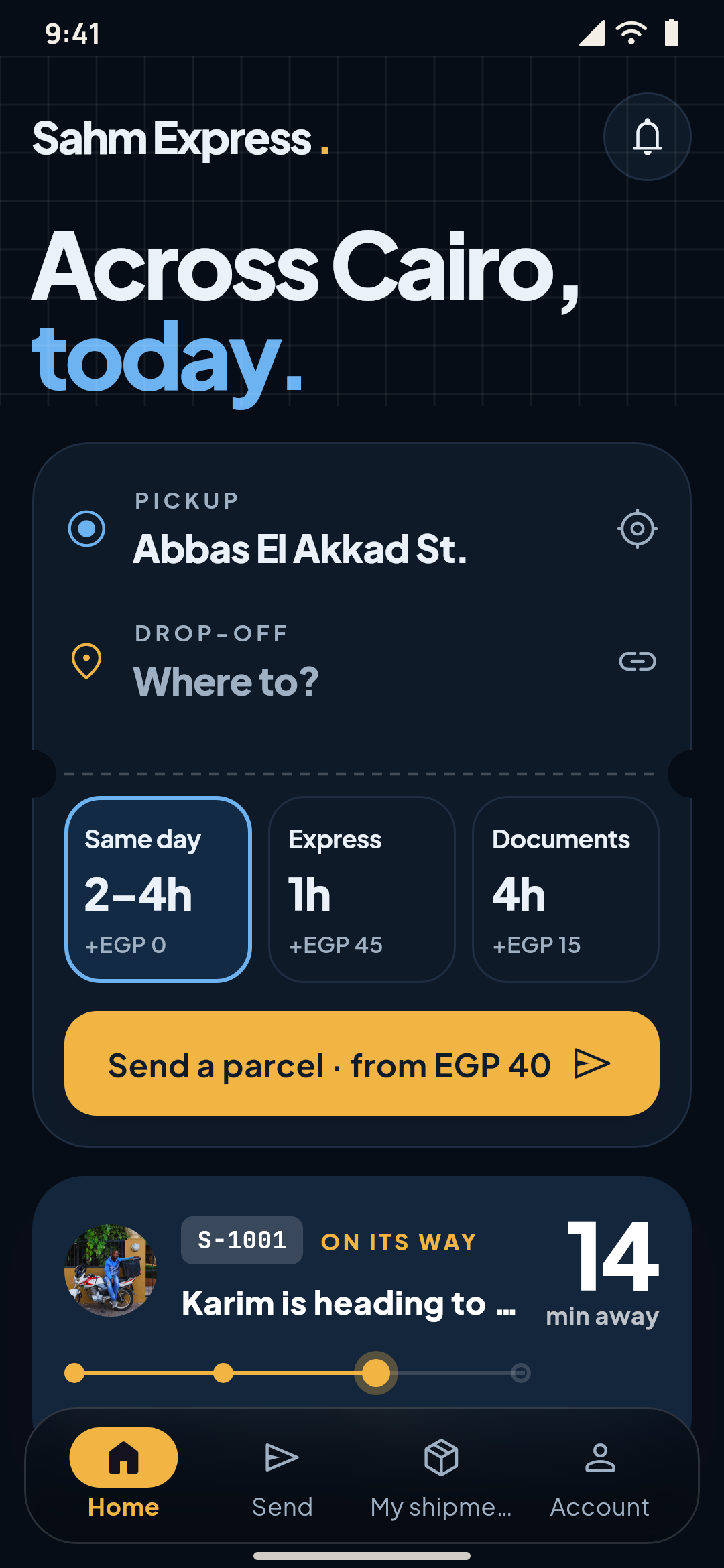
  • Sahm Express in its second look, Live route: the shipment drawn on a living map, its minutes and stages, and sending a parcelSahm Express in its second look, Live route, by night: the shipment drawn on a living map, its minutes and stages, and sending a parcel
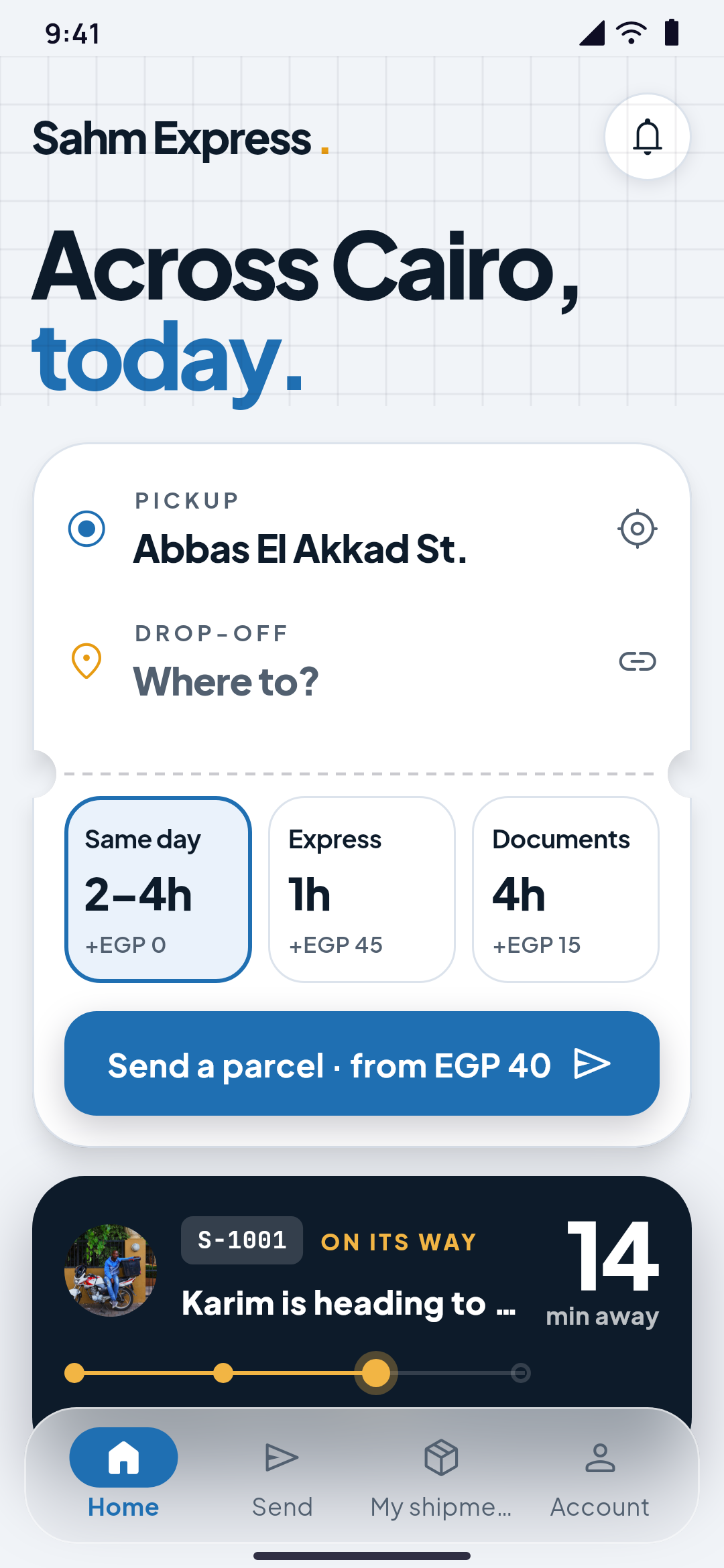
    A courier company's home designed in Yallapp Studio: the city set large, sending a parcel on a waybill with the services and prices, and the shipment on its waySahm Express in its first look, Waybill, by night: the city set large, sending a parcel on a waybill with the services and prices, and the shipment on its way
    Made in Yallapp Studio

    Delivery apps

    Parcels sent, tracked live and delivered, with an app for your couriers.

    What it does
    • Yallapp Courier for your couriersYour couriers work in Yallapp Courier, one app for every company that added them, or in a courier app under your own name. Yallapp Courier is coming to Google Play and the App Store.
    • Live tracking on the mapWhile a parcel is on the way and the courier has the job open, the customer sees where it is on the map. Nothing is shared when the courier's app is closed.
    • The cash to collectCustomers pay by card through your own payment page, or in cash. The courier sees the amount to collect on the job.
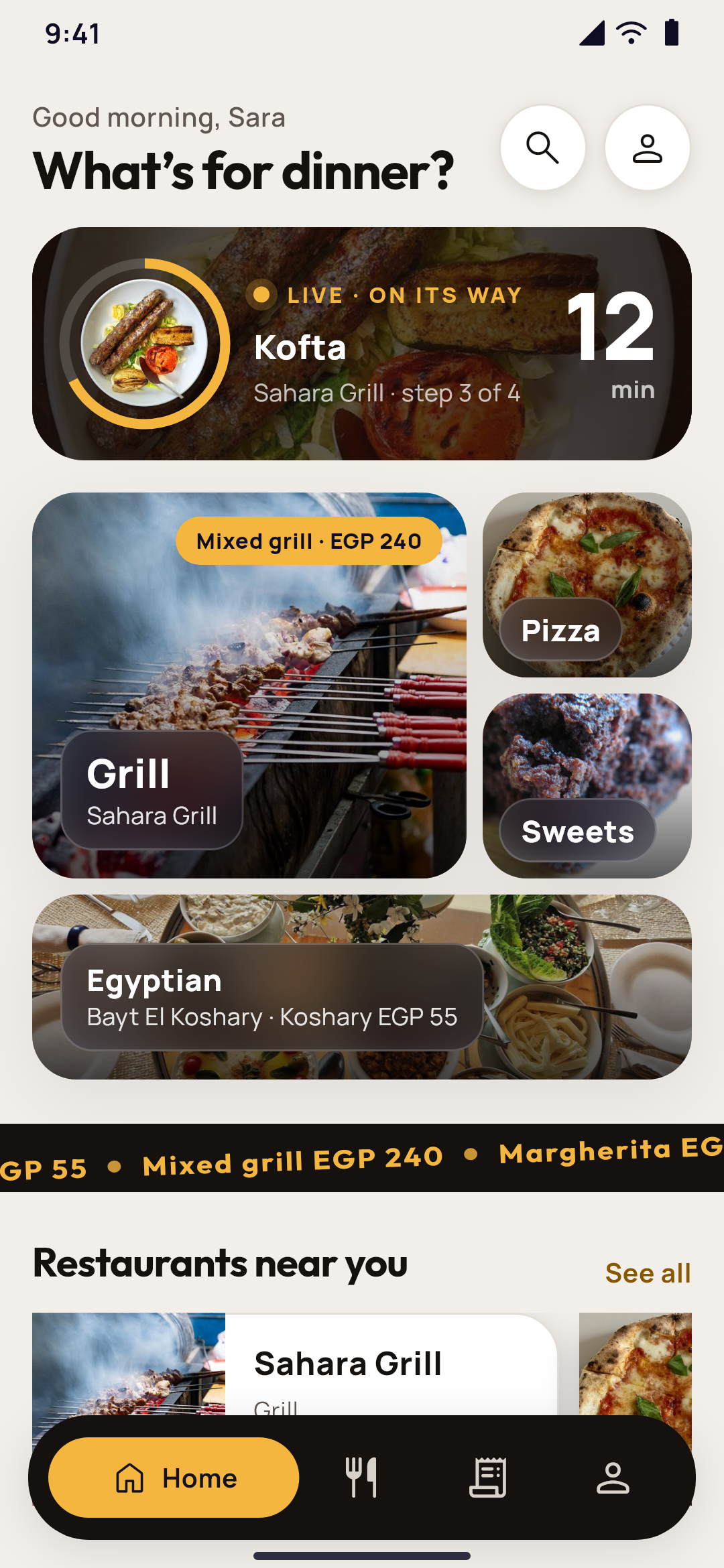
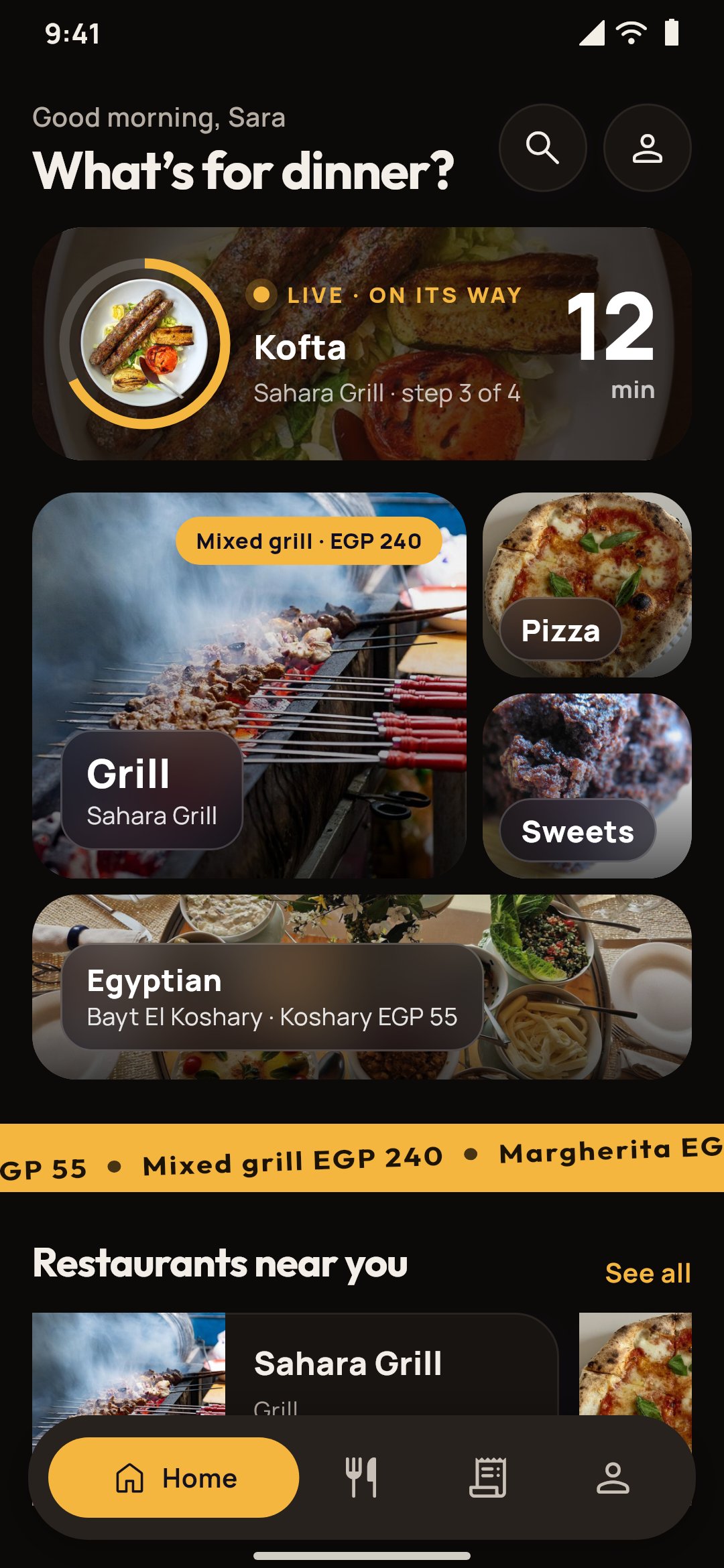
  • Sofra Eats in its second look, Bento table: the order on its way in a gold ring, the cuisines as a photo bento, a band of dishes and the restaurants near youSofra Eats in its second look, Bento table, by night: the order on its way in a gold ring, the cuisines as a photo bento, a band of dishes and the restaurants near you
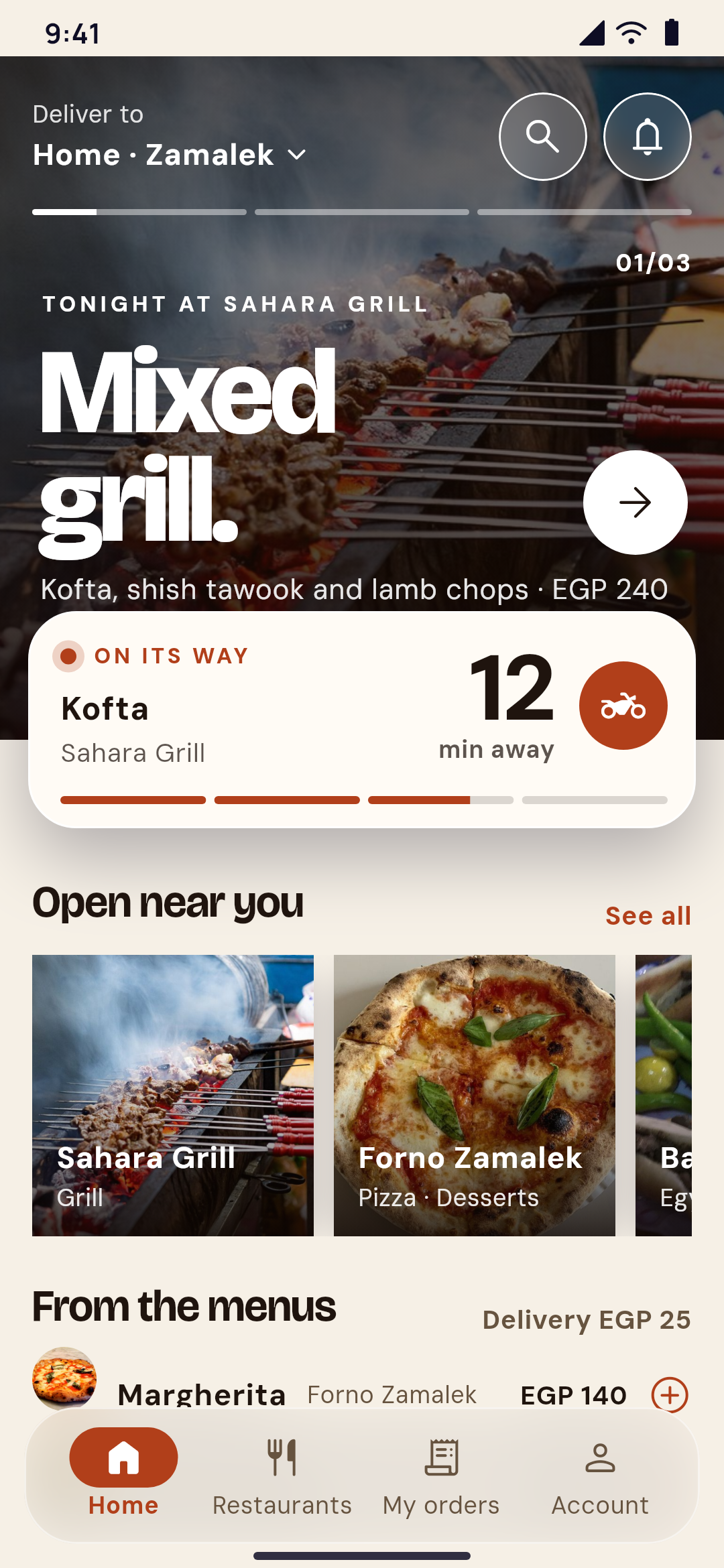
    A food delivery app's home designed in Yallapp Studio: tonight's dishes in a hero slider, the order on its way, the restaurants open nearby and dishes from the menusSofra Eats in its first look, Editorial menu, by night: tonight's dishes in a hero slider, the order on its way, the restaurants open nearby and dishes from the menus
    Made in Yallapp Studio

    Food delivery apps

    Restaurants, their menus, orders and couriers, in one food delivery app.
    What it does
    • Many restaurants, one appEach restaurant with its hours, its menu and the choices on its dishes. Customers filter the restaurants and order from one at a time.
    • A tab for each restaurantThe restaurant's staff get new orders with a sound, accept them with a time, turn them down, mark them ready, and set the restaurant open or busy.
    • The courier on the mapWhile an order is on its way, the customer follows the courier on the map with the pickup, the drop-off, the route and the time left.
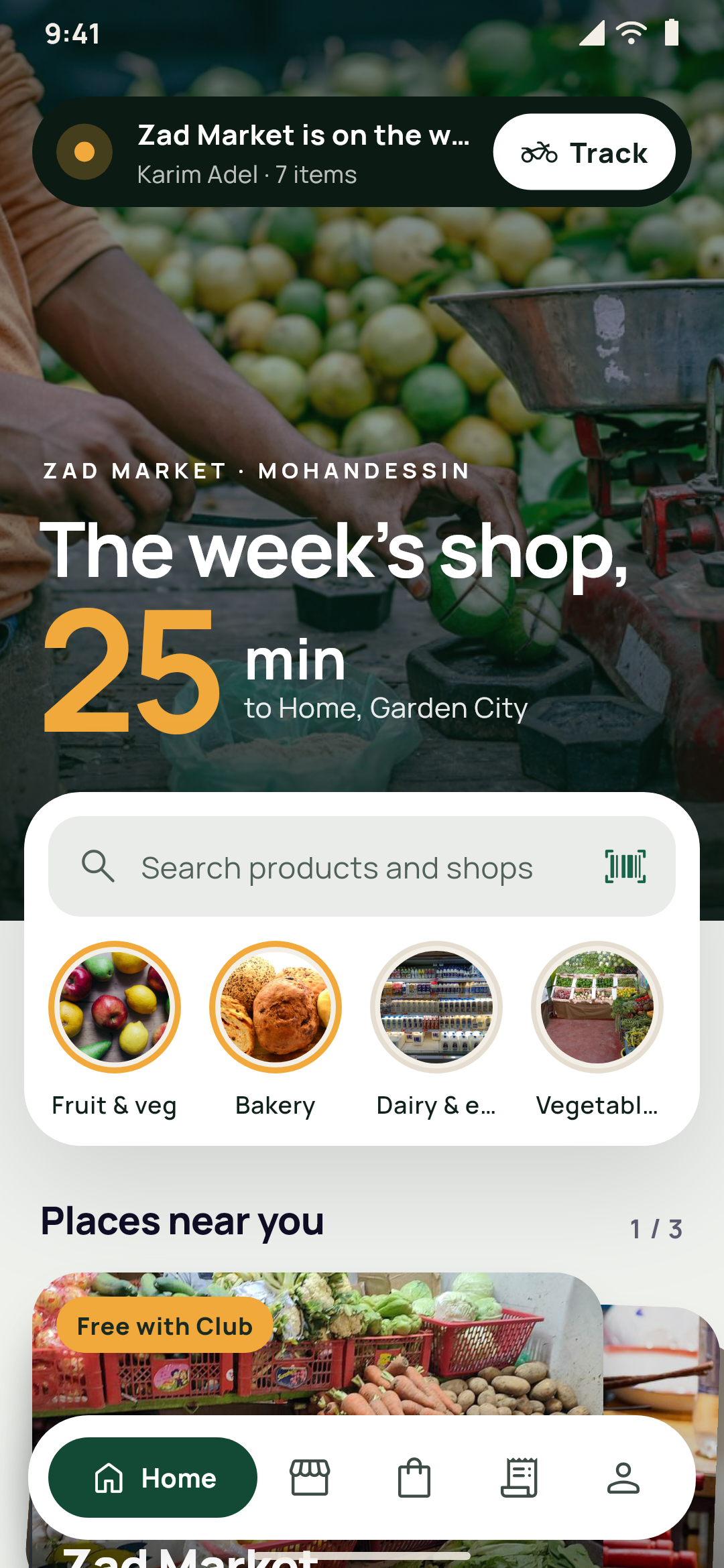
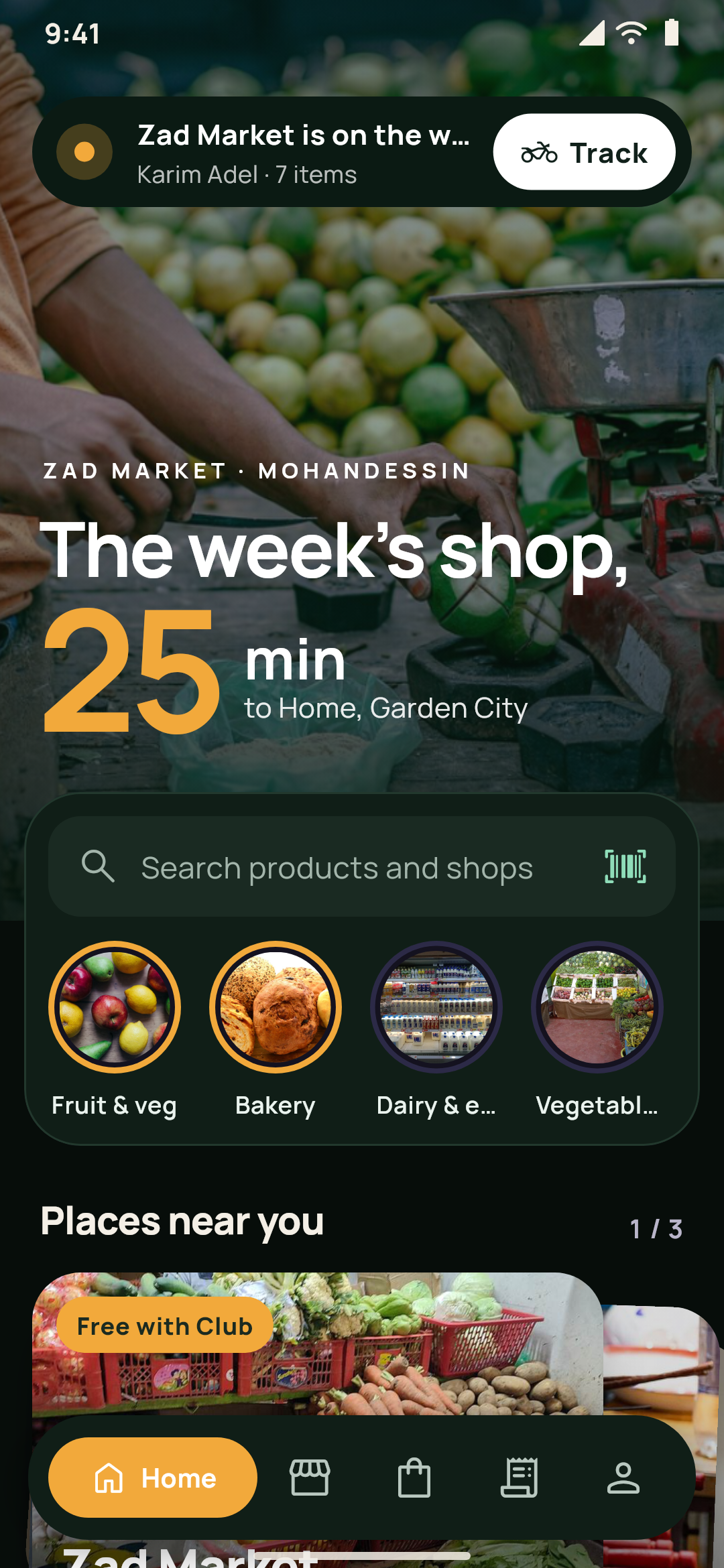
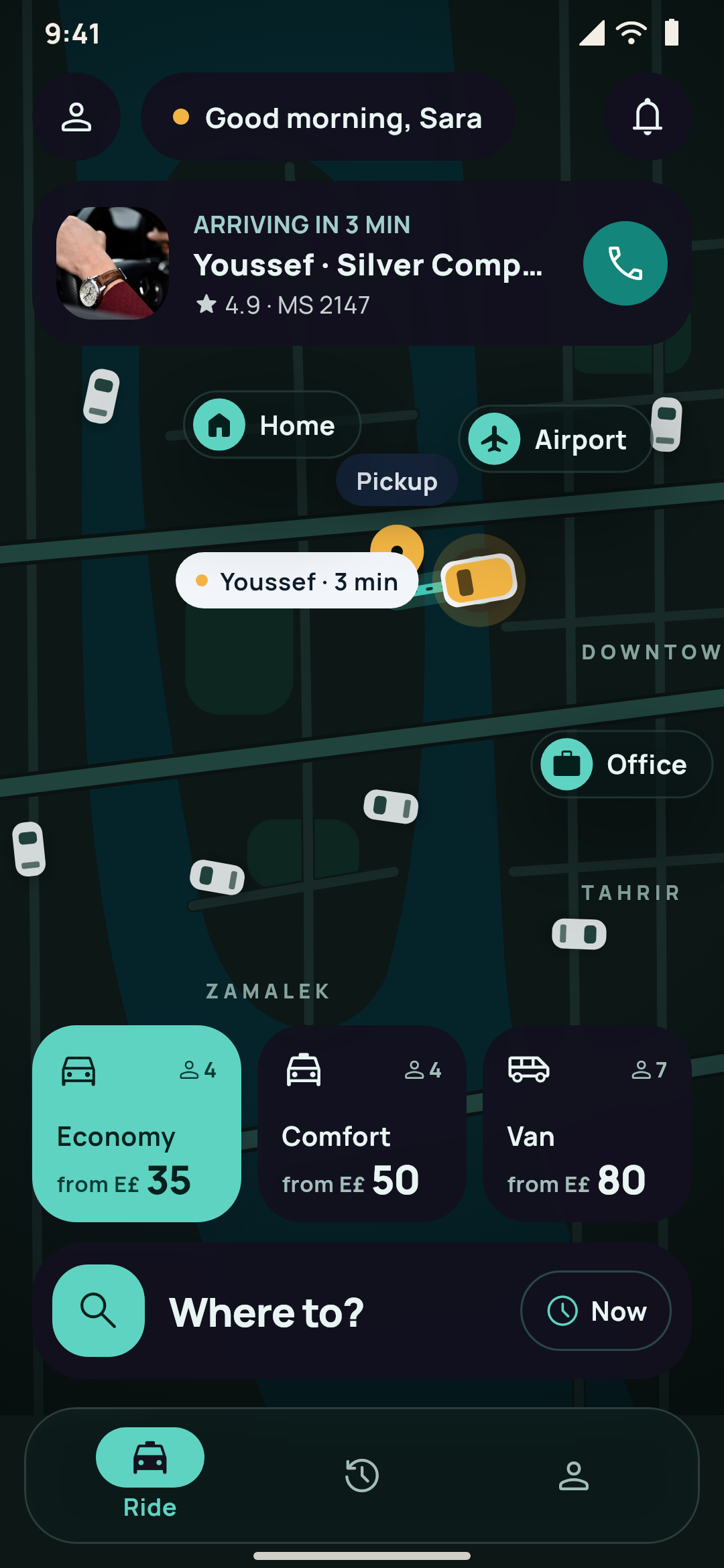
  • Zad in its second look, Night aisle: the order as a slim pill over the aisle's photo, the minutes to the door, the departments as stories and the places as a deckZad in its second look, Night aisle, by night: the order as a slim pill over the aisle's photo, the minutes to the door, the departments as stories and the places as a deck
    A multi-vendor app's home: the delivery address with the soonest time, this week's offers as green posters, the departments as arch photos and the places near youZad in its first look, Market arches, by night: the delivery address with the soonest time, this week's offers as posters, the departments as arch photos and the places near you
    Made in Yallapp Studio

    Multi-vendor apps

    Restaurants, supermarkets and shops in one delivery app, each with its own panel, under your name.

    What it does
    • Restaurants, supermarkets and shopsEach place with its hours, its menu or catalog, and its delivery. Supermarkets sell by the piece or by weight, with departments, aisles and substitutes.
    • A panel for every placeEach place signs in to its own panel on the web: live orders with a sound, the menu and stock, imports from Excel or CSV, photos, staff, statements and its own offers.
    • Your couriers or the place's ownEach place chooses: your couriers, followed live on the map, or its own delivery with its own fee, fixed or by the kilometre. Pick-up and orders for later too.
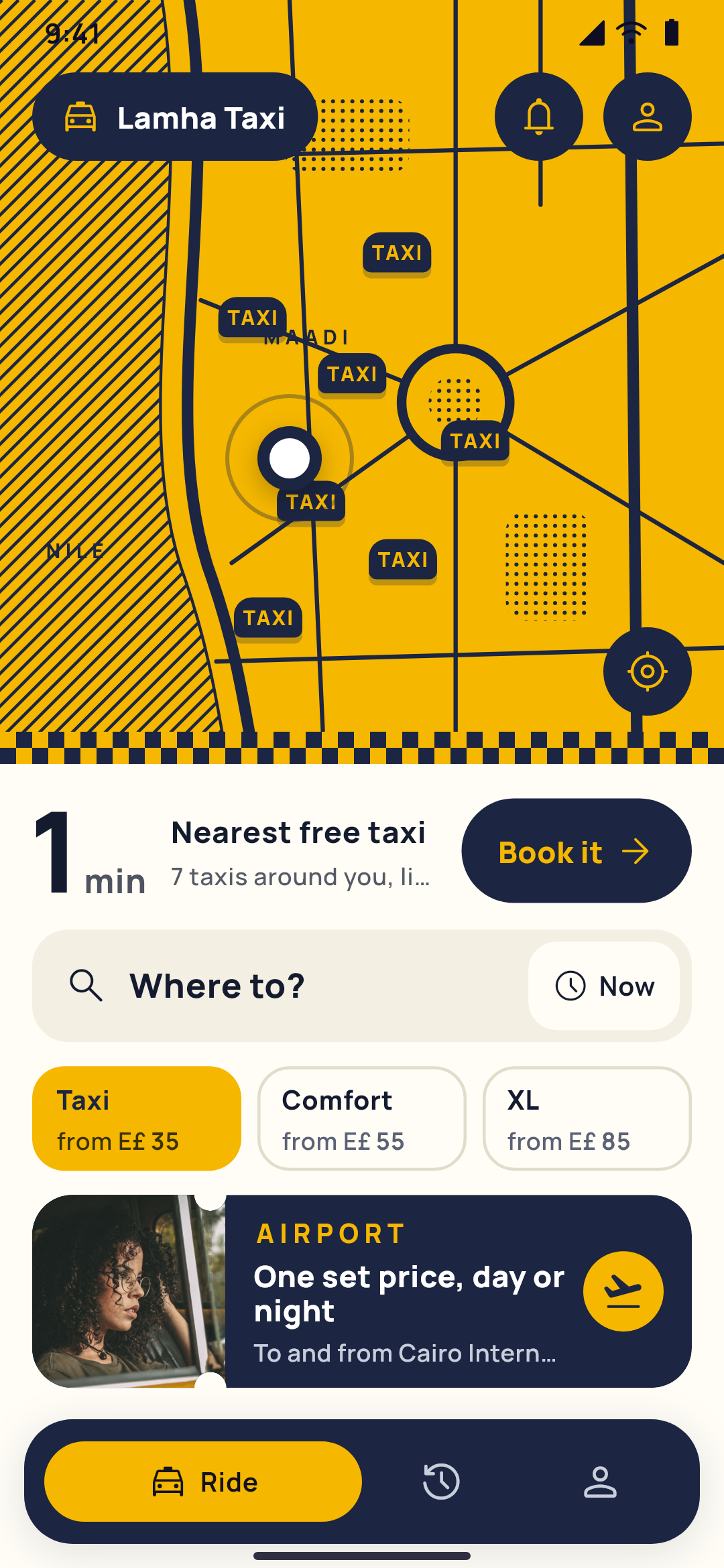
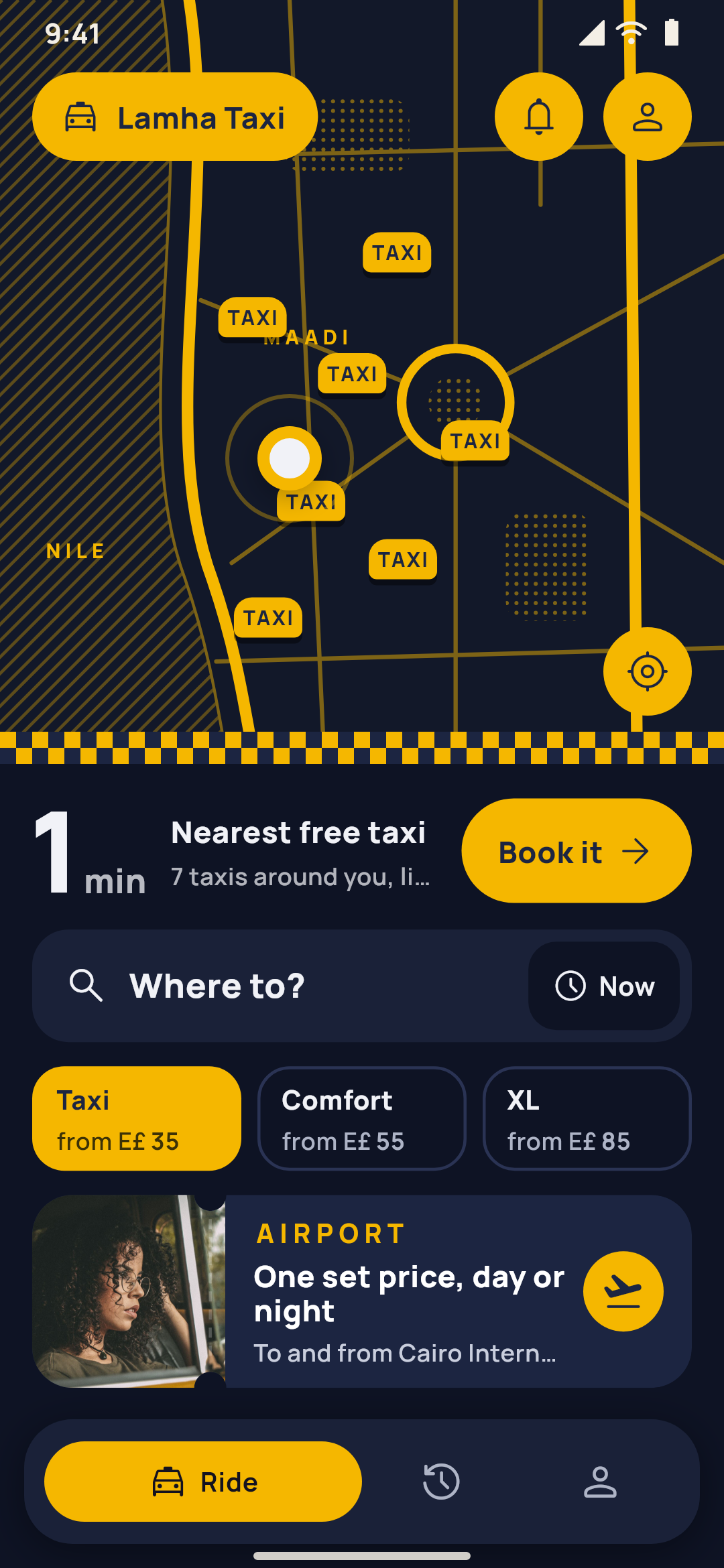
  • A live taxi app's home on a map in two inks: the free taxis around the rider, the nearest one's minutes, where to, the classes and the airport's set priceLamha Taxi in its first look, Two-ink cab, by night: the free taxis around the rider on a map in two inks, the nearest one's minutes, where to, the classes and the airport's set price
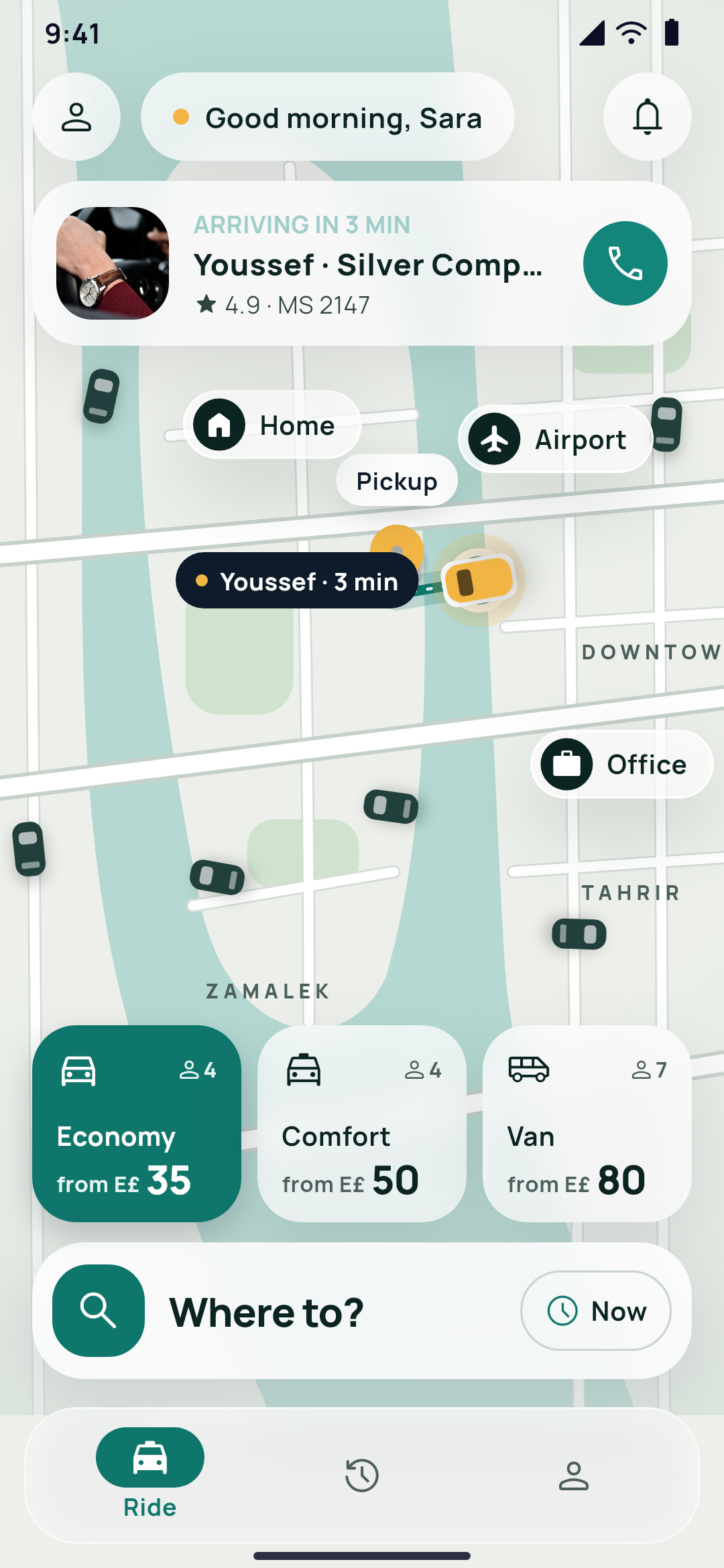
    A ride app's home designed in Yallapp Studio: a living map of the city with the driver on the way, the car classes with their fares and where toMasar Rides in its first look, Living map, by night: a living map of the city with the driver on the way, the car classes with their fares and where to
    Made in Yallapp Studio

    Ride and taxi apps

    Riders ask for a ride on the map, drivers take it, and both follow it live.

    What it does
    • The map is homeRiders start from "Where to?", move the pickup on the map, and see the route with each vehicle type's fare before they ask.
    • Taxis around, liveFor a taxi company, riders see the taxis around them on the map, and follow the driver coming and then the trip.
    • An app for your driversDrivers go online, get one offer at a time with the seconds left, accept or decline, follow each stage with the rider's code, see the cash to collect and their earnings.
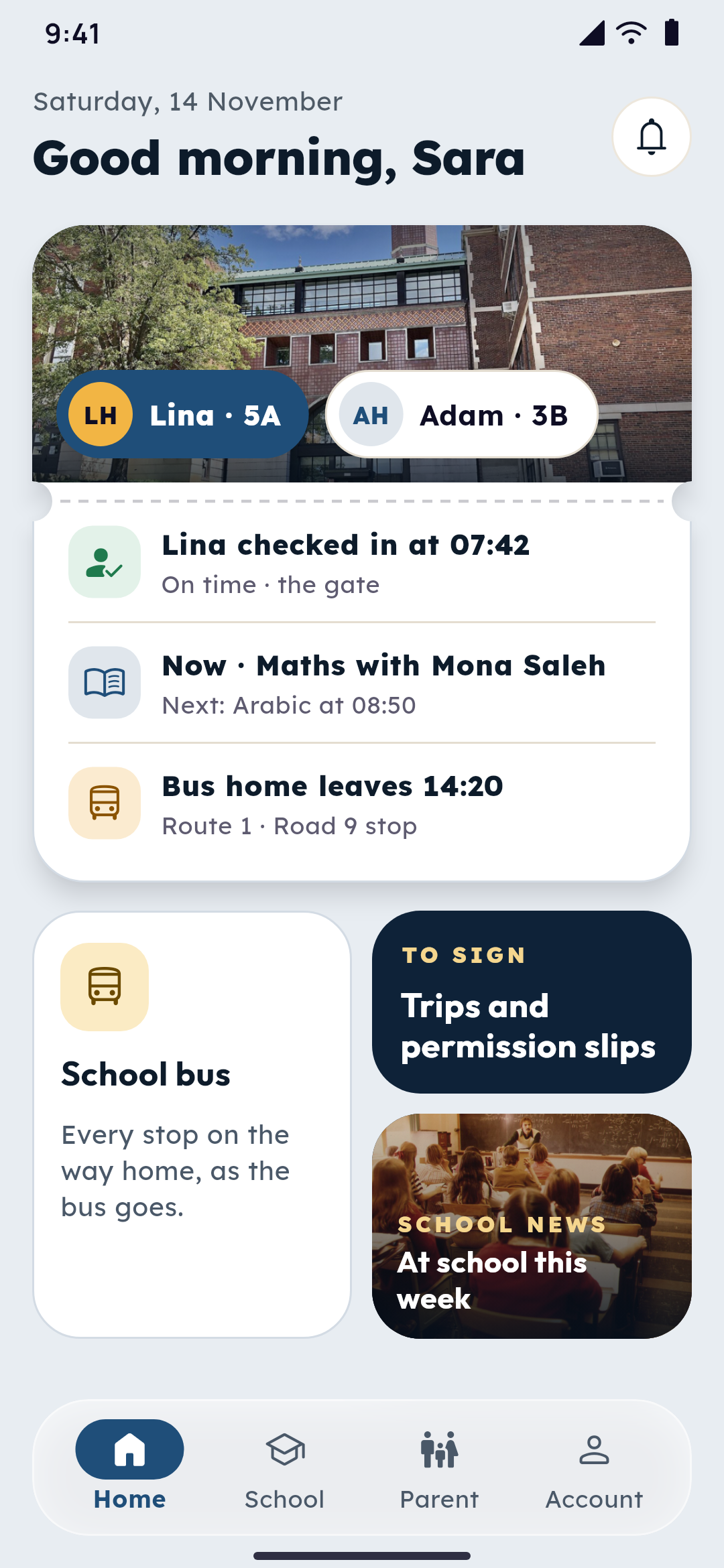
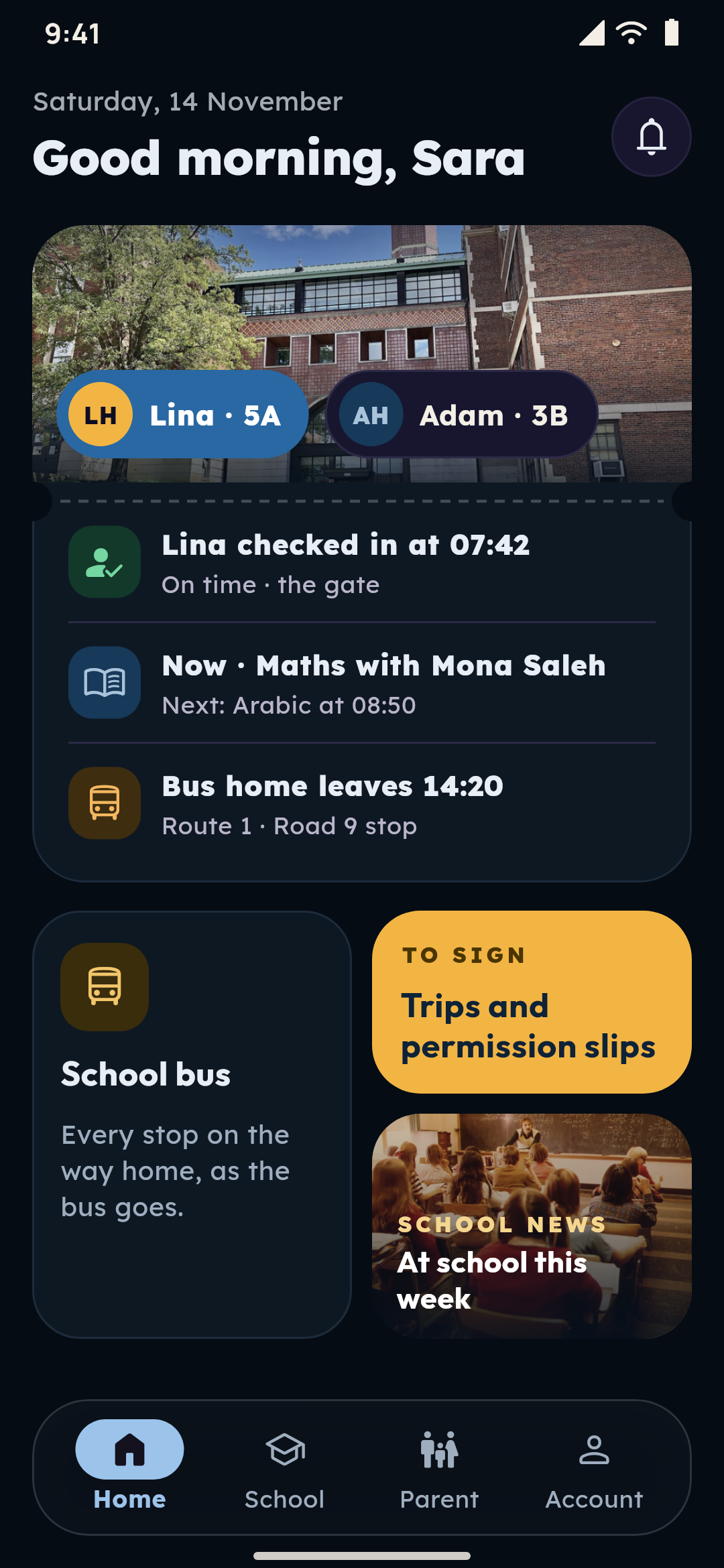
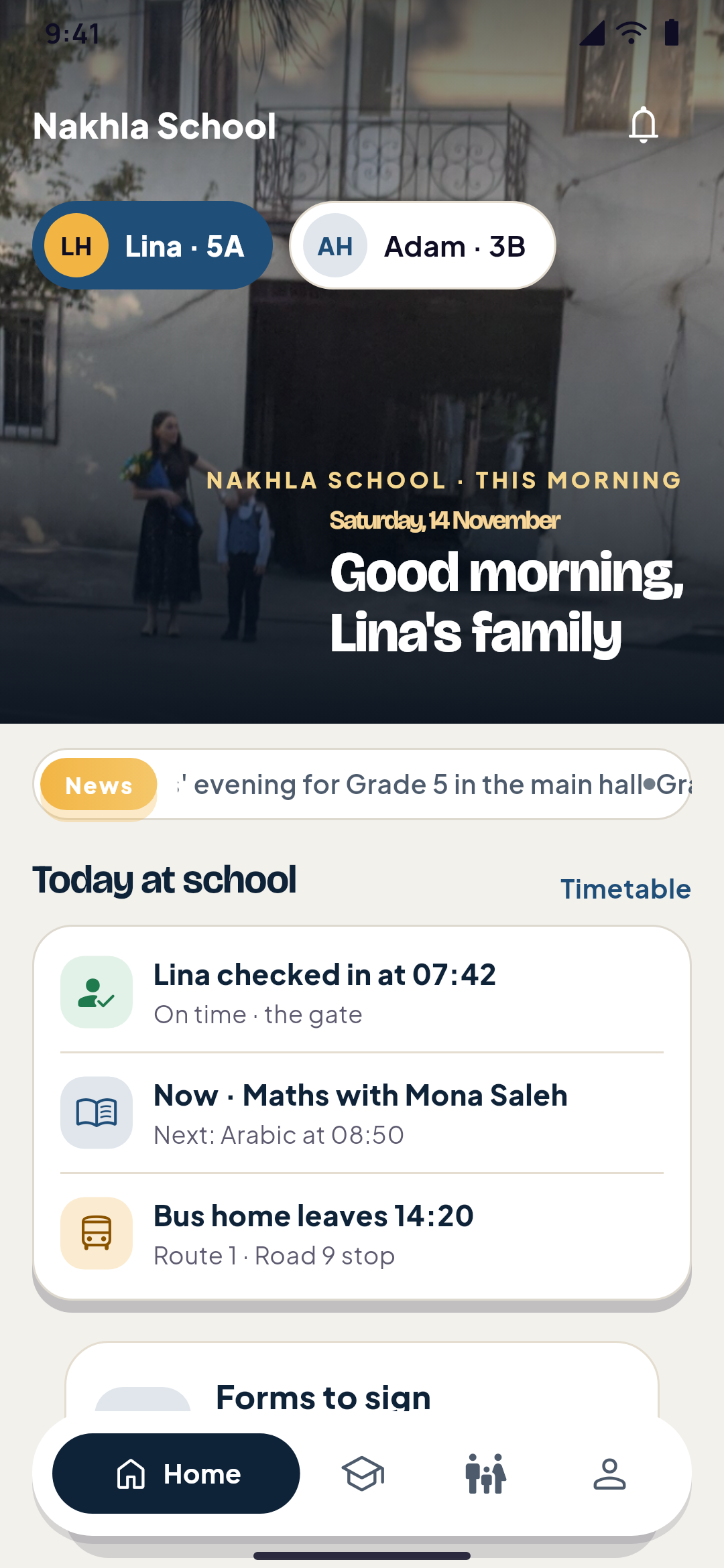
  • Nakhla School in its second look, Family passes: the chosen child's day as a pass, the school bus, the forms to sign and the school's newsNakhla School in its second look, Family passes, by night: the chosen child's day as a pass, the school bus, the forms to sign and the school's news
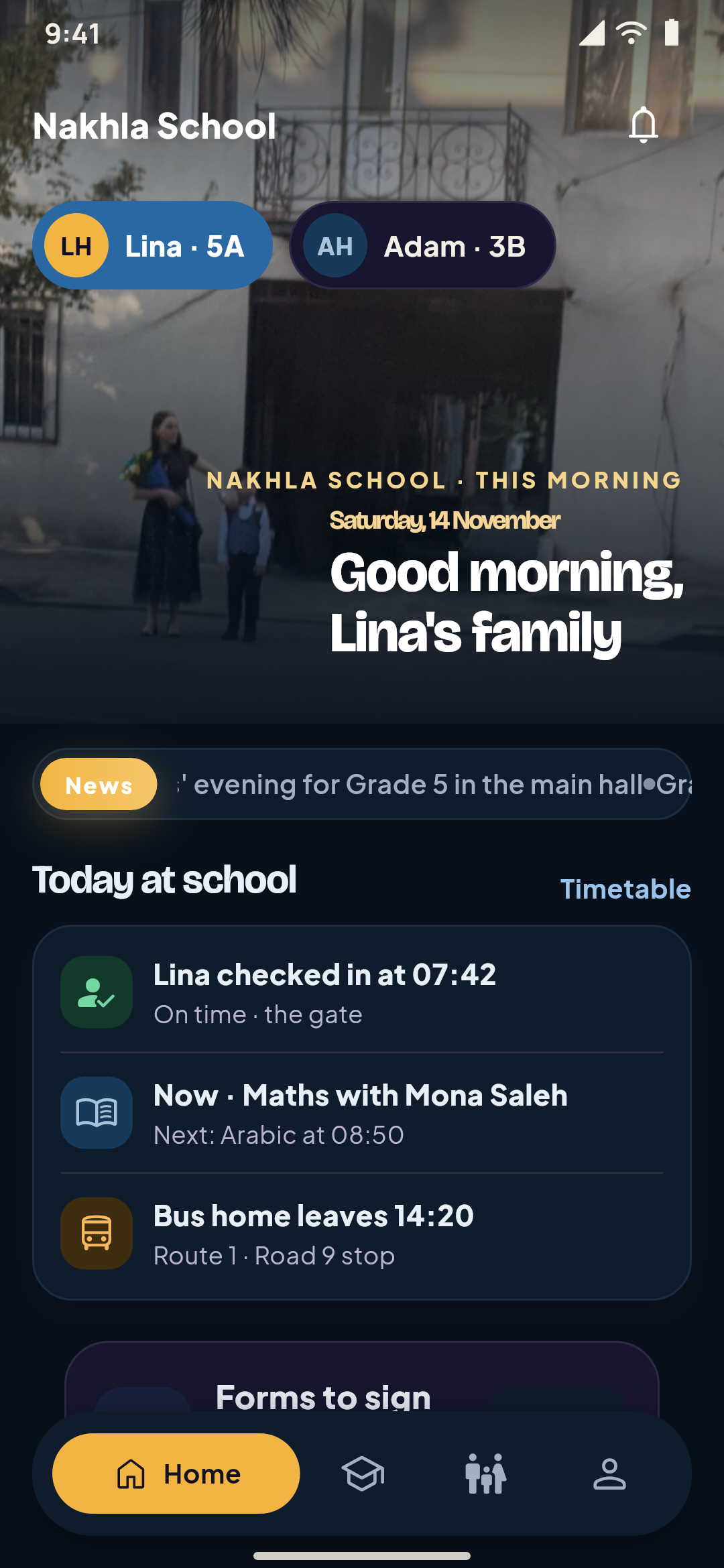
    A school app's home designed in Yallapp Studio: the family's greeting over the school gate with the children, the school's news and today at schoolNakhla School in its first look, Morning edition, by night: the family's greeting over the school gate with the children, the school's news and today at school
    Made in Yallapp Studio

    School apps

    The timetable, homework, attendance, parents and teachers, in your school's app.

    What it does
    • An app for families, an app for staffStudents and parents use your school's app; teachers, office staff and bus crews work in its staff app, in the same bundle, signing in with the number you added. Parents switch between their children with one account.
    • Check in at the gateStudents, teachers and staff check in and out with the gate's code, which changes every 30 seconds, so an old photo of it doesn't work.
    • The parents' areaEach child's day at a glance: check-in times, lessons, homework due, the latest grades, the bus and library books, and messages with teachers when the school allows them.
  • A school app's home designed in Yallapp Studio: the family's greeting over the school gate with the children, the school's news and today at schoolNakhla School in its first look, Morning edition, by night: the family's greeting over the school gate with the children, the school's news and today at school
    Nakhla School in its second look, Family passes: the chosen child's day as a pass, the school bus, the forms to sign and the school's newsNakhla School in its second look, Family passes, by night: the chosen child's day as a pass, the school bus, the forms to sign and the school's news
    Made in Yallapp Studio

    University apps

    Faculties, programs, course registration and results by term, in your university's app.

    What it does
    • Faculties, departments and programsEach program with its degree, the credits to graduate, its years, the credits allowed each term and its study plan.
    • Registration in the appStudents register for sections with the seats left, lectures that don't clash, prerequisites passed and their program's credits, with a waiting list for full sections.
    • Advisors who approveEach registration goes to the student's advisor, who approves it or sends it back with a note. Students drop courses until the term's date.
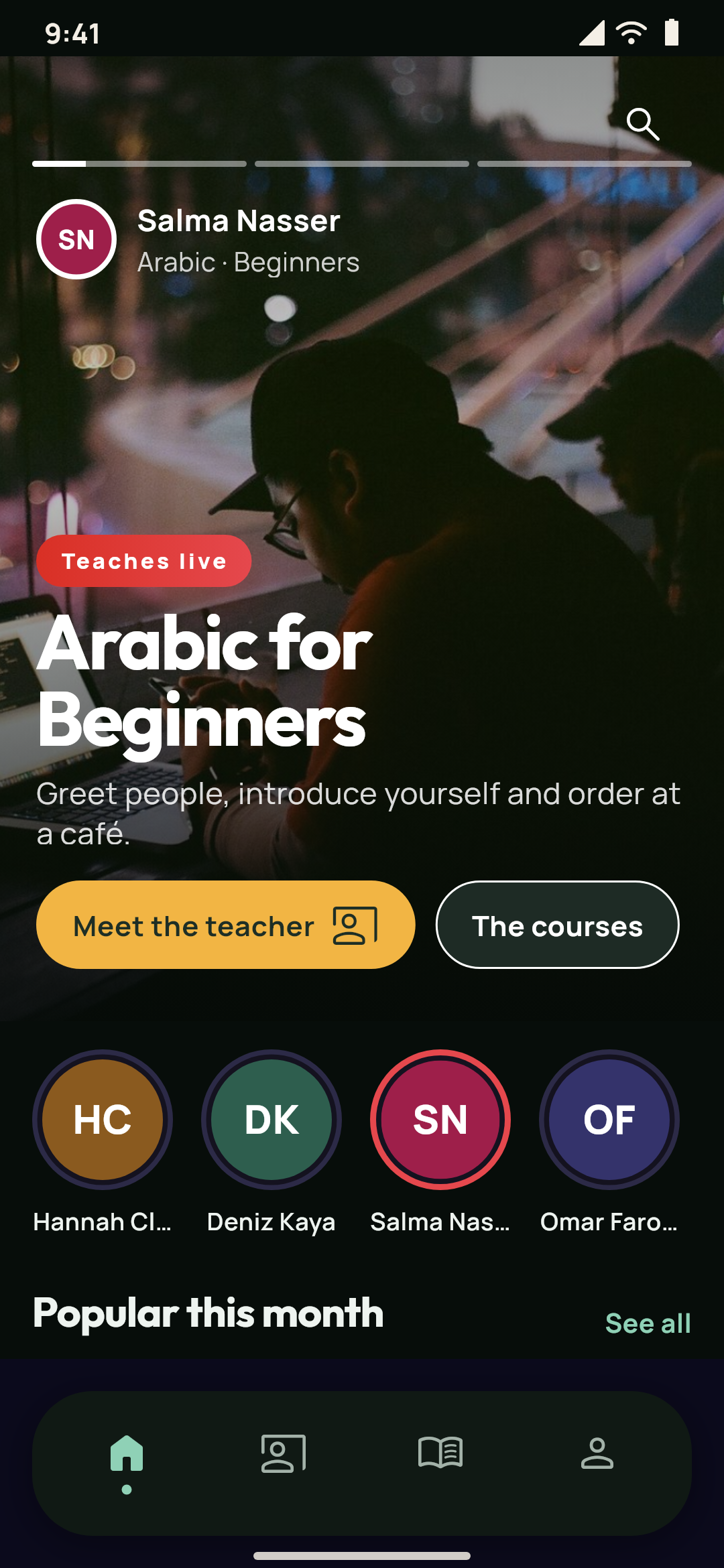
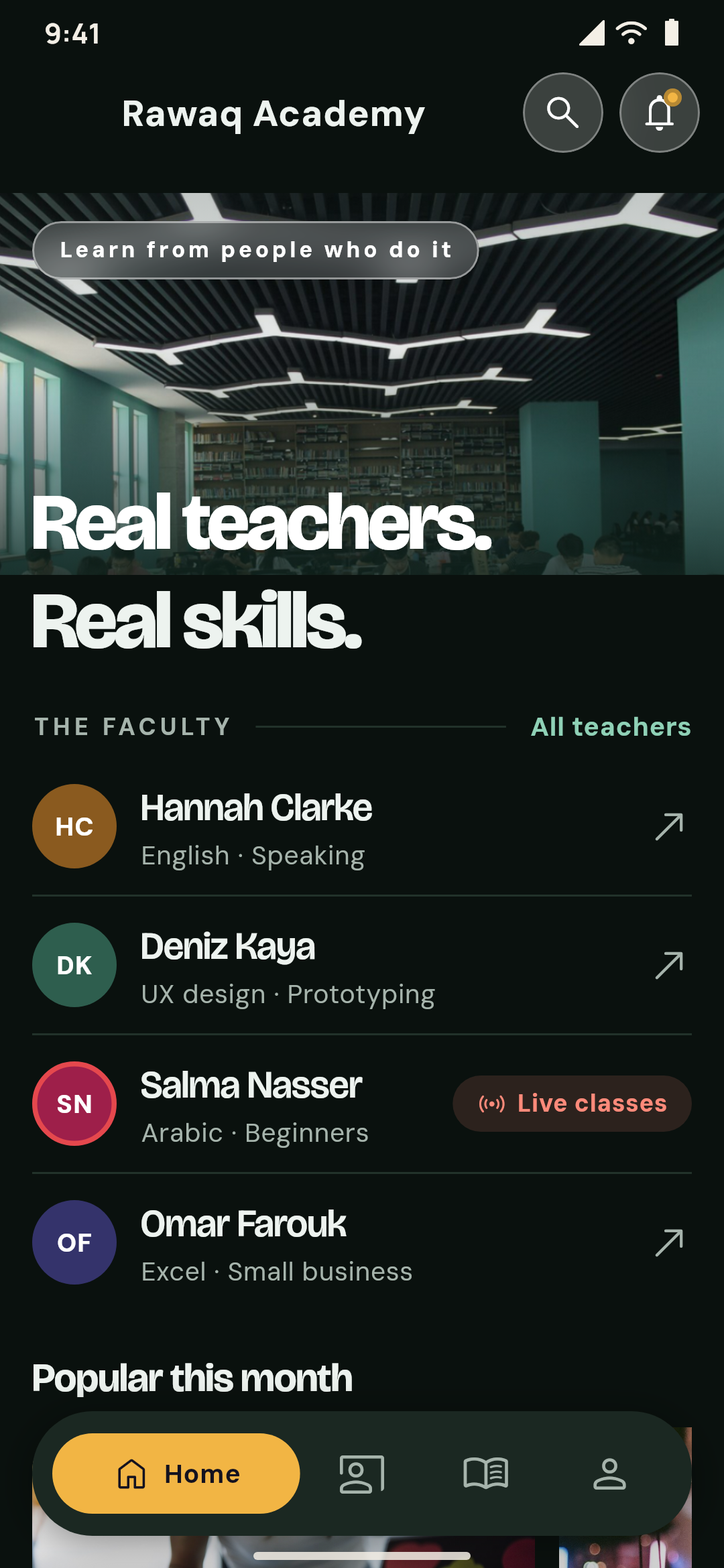
  • Rawaq Academy in its second look, On air: a teacher's course in a full-screen slider, the teachers in rings and the popular coursesRawaq Academy in its second look, On air, by night: a teacher's course in a full-screen slider, the teachers in rings and the popular courses
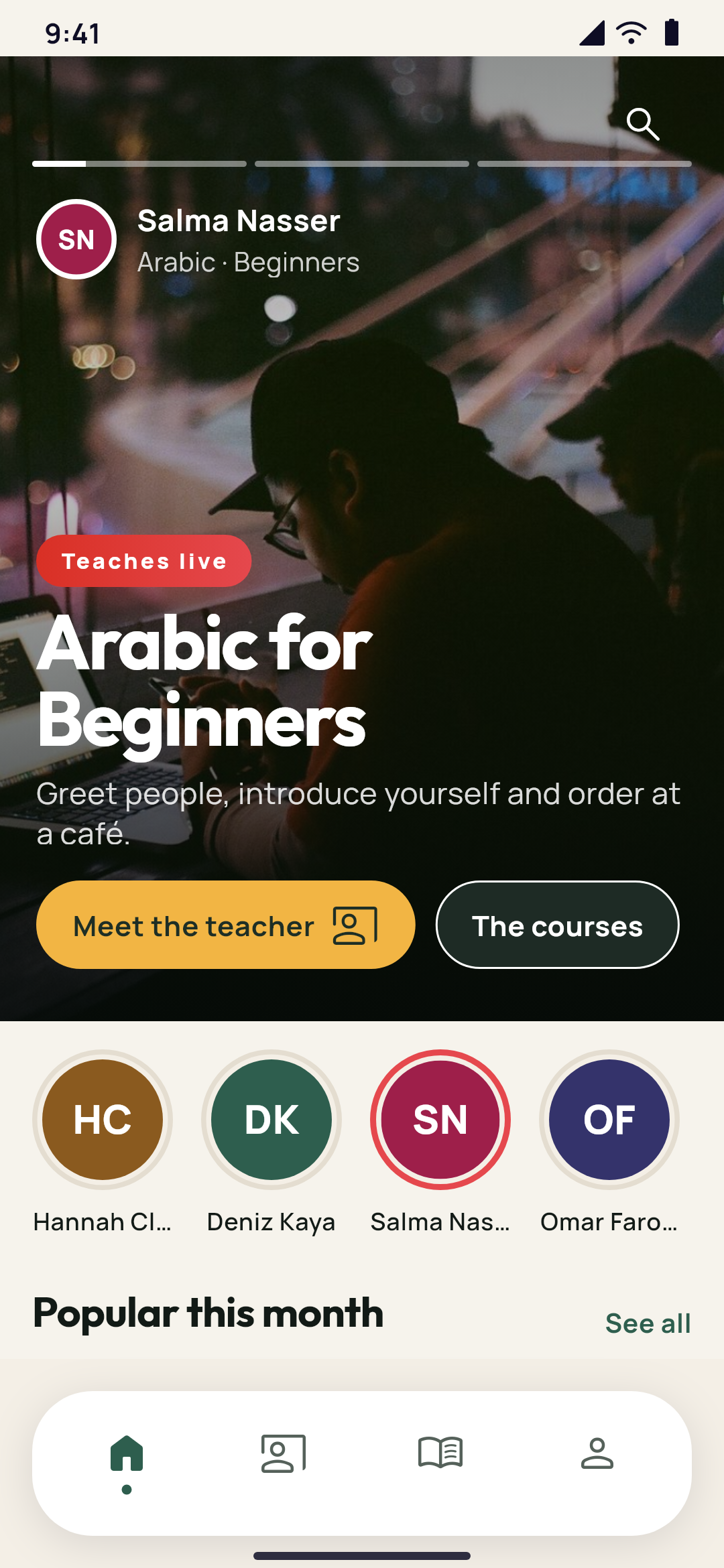
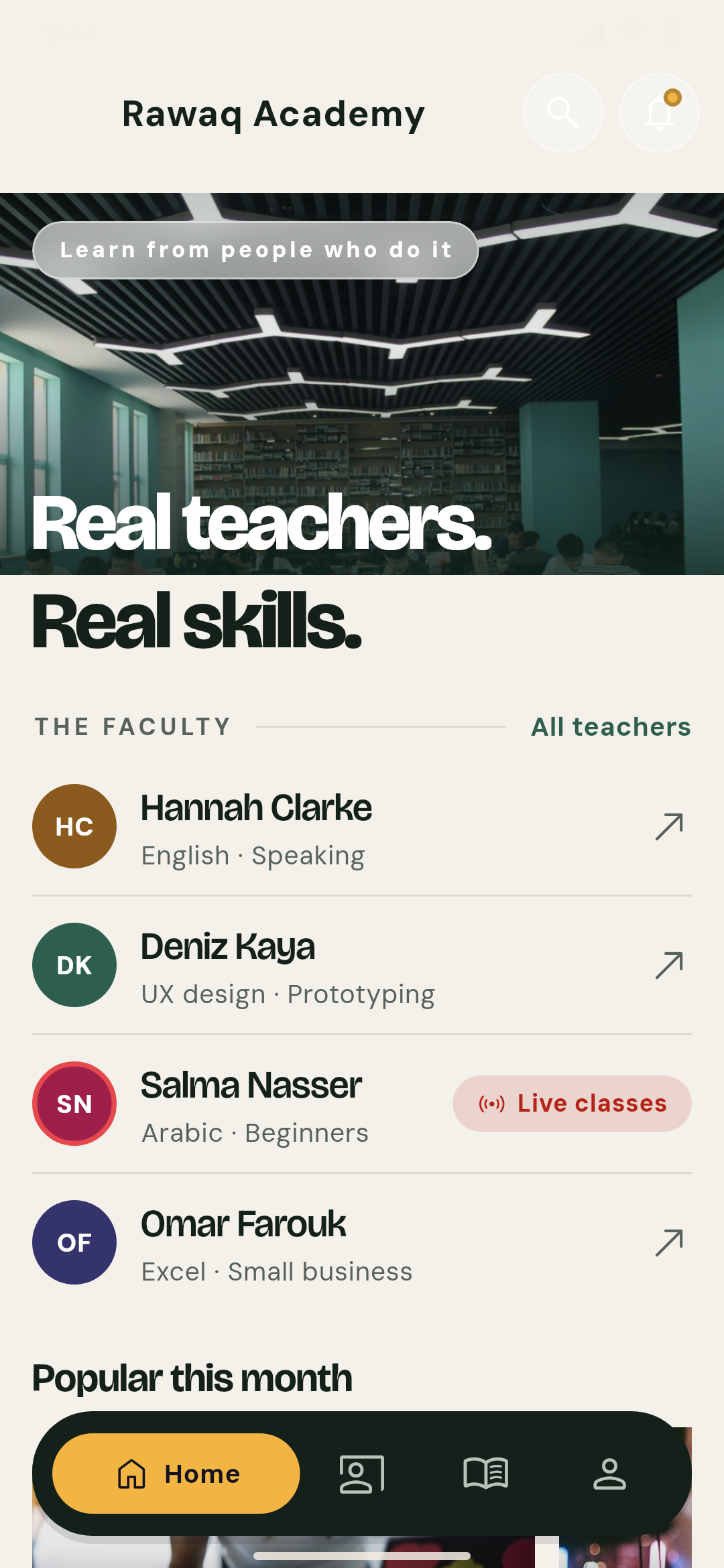
    An academy's home designed in Yallapp Studio: real teachers and real skills over the library's photo, its teachers as an index and the popular coursesRawaq Academy in its first look, Faculty index, by night: real teachers and real skills over the library's photo, the teachers as an index and the popular courses
    Made in Yallapp Studio

    Academy with many teachers apps

    Many teachers, their courses and their students, in one academy app.

    What it does
    • A page for each teacherAbout the teacher, their courses, students, followers and reviews. Students follow teachers and rate them in one of their courses.
    • A teachers' appTeachers build their courses in their own staff app, in the same bundle: sections and lessons with a video link, an uploaded video or PDF, or text. They send them for review and answer students' questions.
    • Courses reviewed firstA teacher's course goes live once you publish it, or comes back to them with your note.
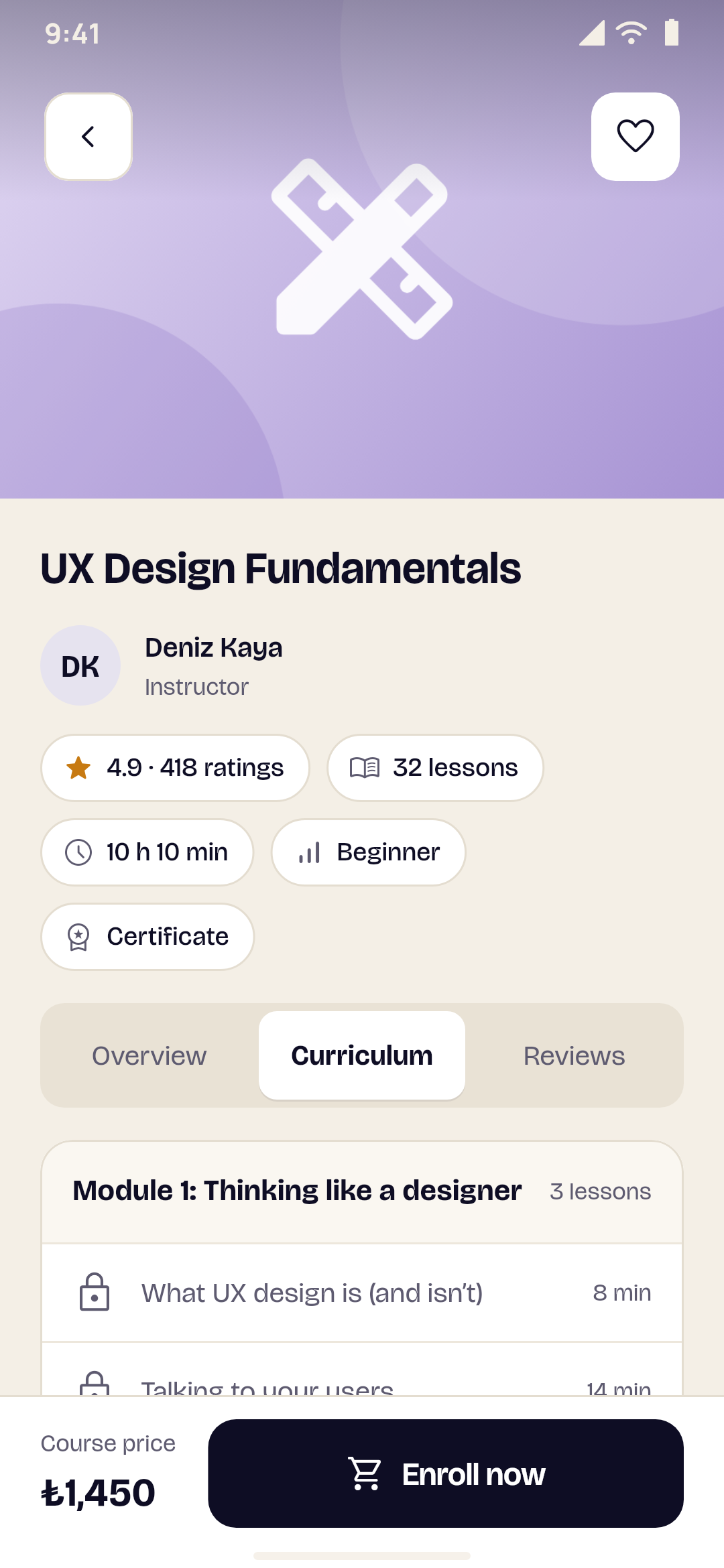
  • A course page with its lessons
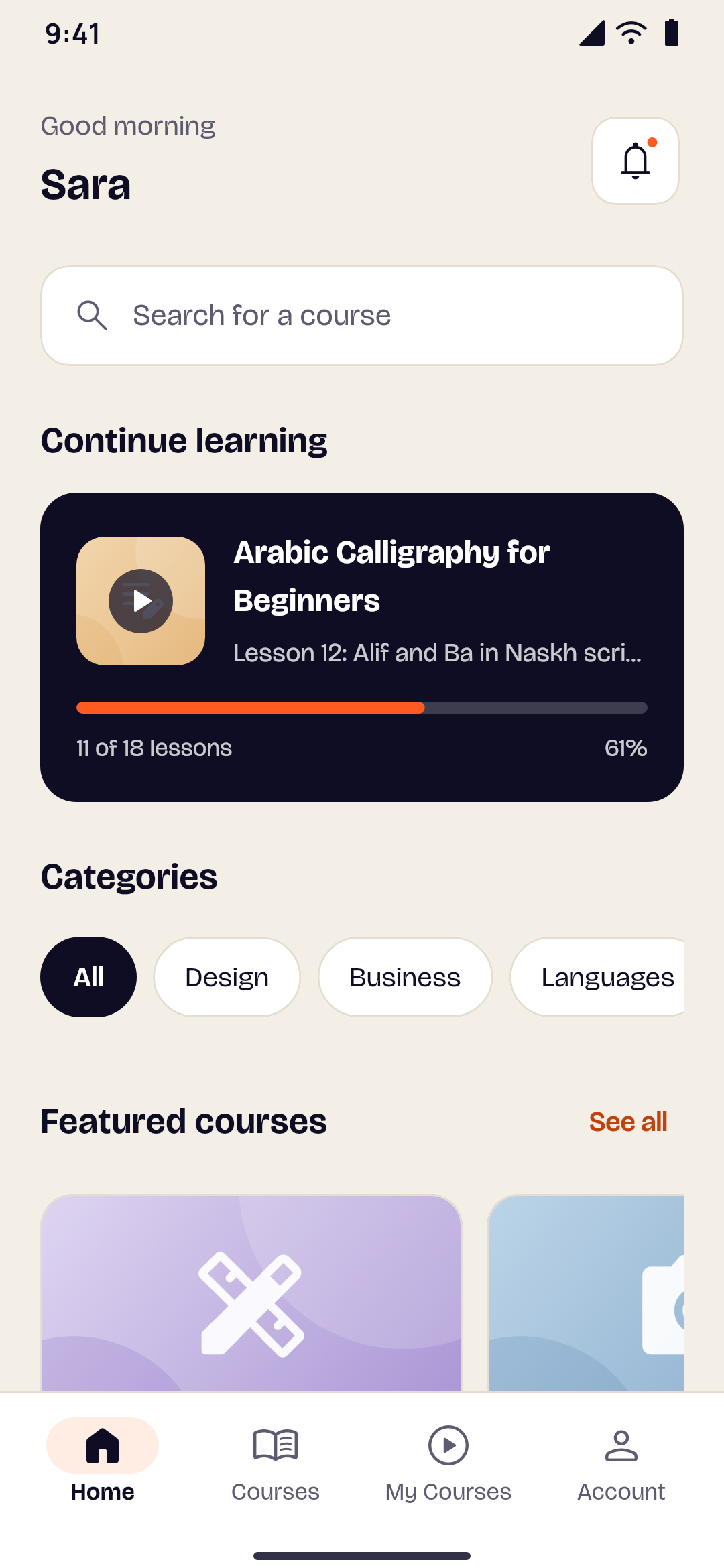
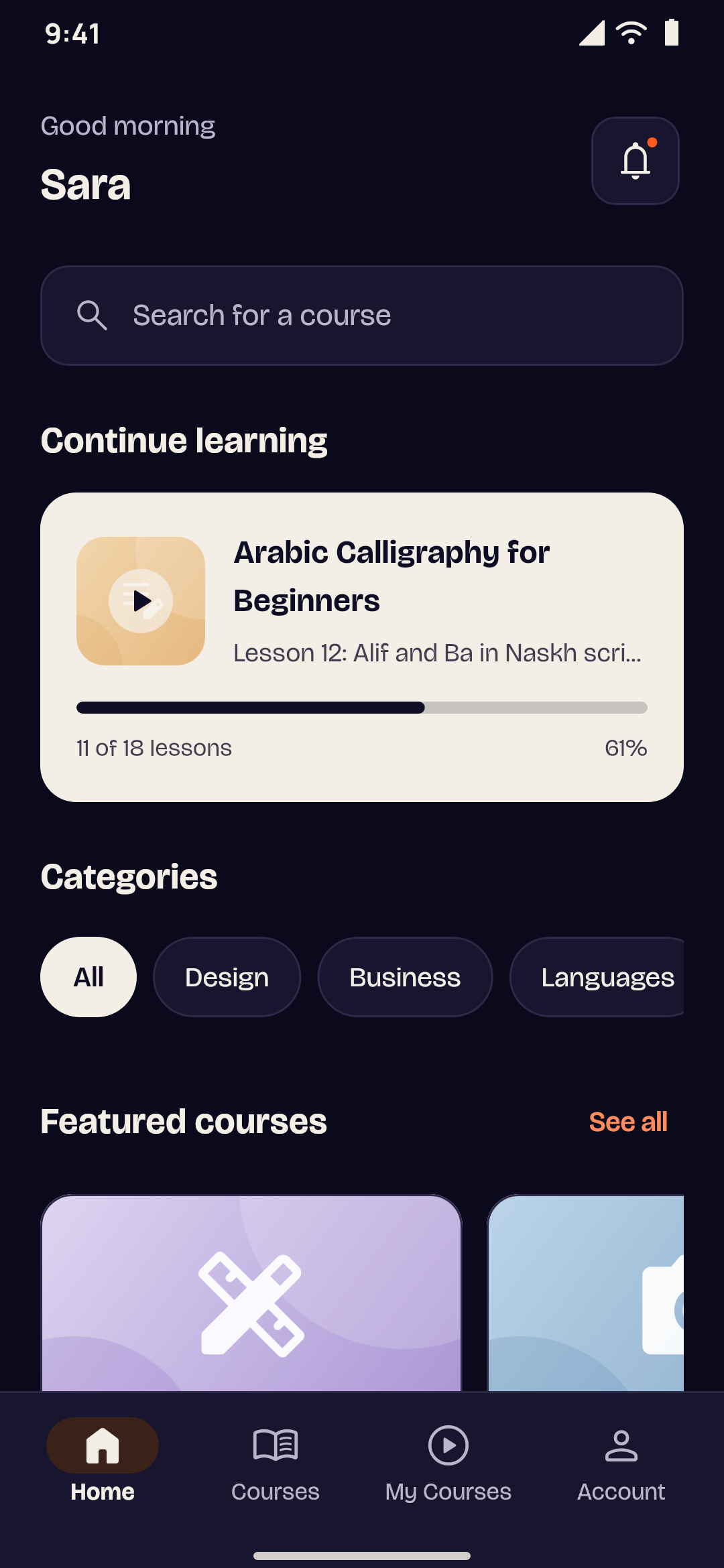
    An academy app's home screen with coursesAn academy app's home screen in dark mode
    A regular app

    Academy apps

    Courses, lessons, quizzes, progress and certificates.

    What it does
    • Protected videoUploaded videos play from links that expire, with a watermark of the student's number. Screenshots and screen recording are blocked on Android; on iOS the video hides while the screen is recorded.
    • Lessons that look rightText, images, YouTube, Vimeo, embedded tools and code blocks are sized for the phone. Pages a phone can't show natively open exactly like your website, with the student signed in.
    • Quizzes, progress and certificatesWith a WordPress LMS, quizzes are graded by your LMS, progress syncs with your website, and certificates, reviews and questions to instructors appear when your LMS has them.
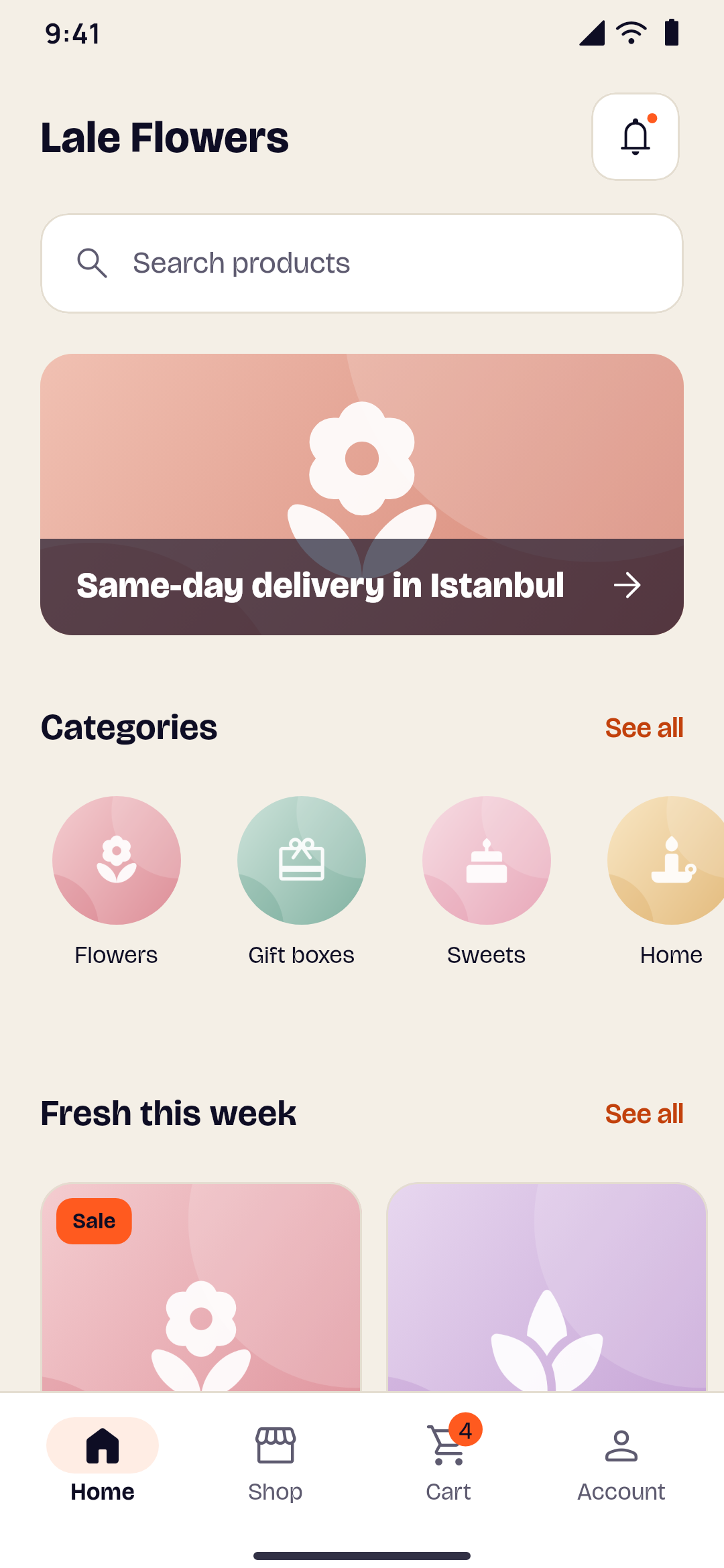
  • A product page with price and options
    A store app's home screen with products
    A regular app

    Store apps

    Products, cart, checkout and orders.

    What it does
    • A cart that stays honestThe cart lives in the app and is priced against your shop each time, with current prices, stock and quantity limits.
    • Checkout you already trustCustomers pay on your own checkout: WooCommerce, Shopify, ikas, Ticimax, IdeaSoft, Wix, Salla or Zid. Without a website, they pay by card on a secure iyzico, Kashier, Fawaterk, Stripe or PayPal page.
    • Built for gifts and flowersWith WooCommerce, customers can pick a delivery date and add a gift message, with closed days and how far ahead set by you.
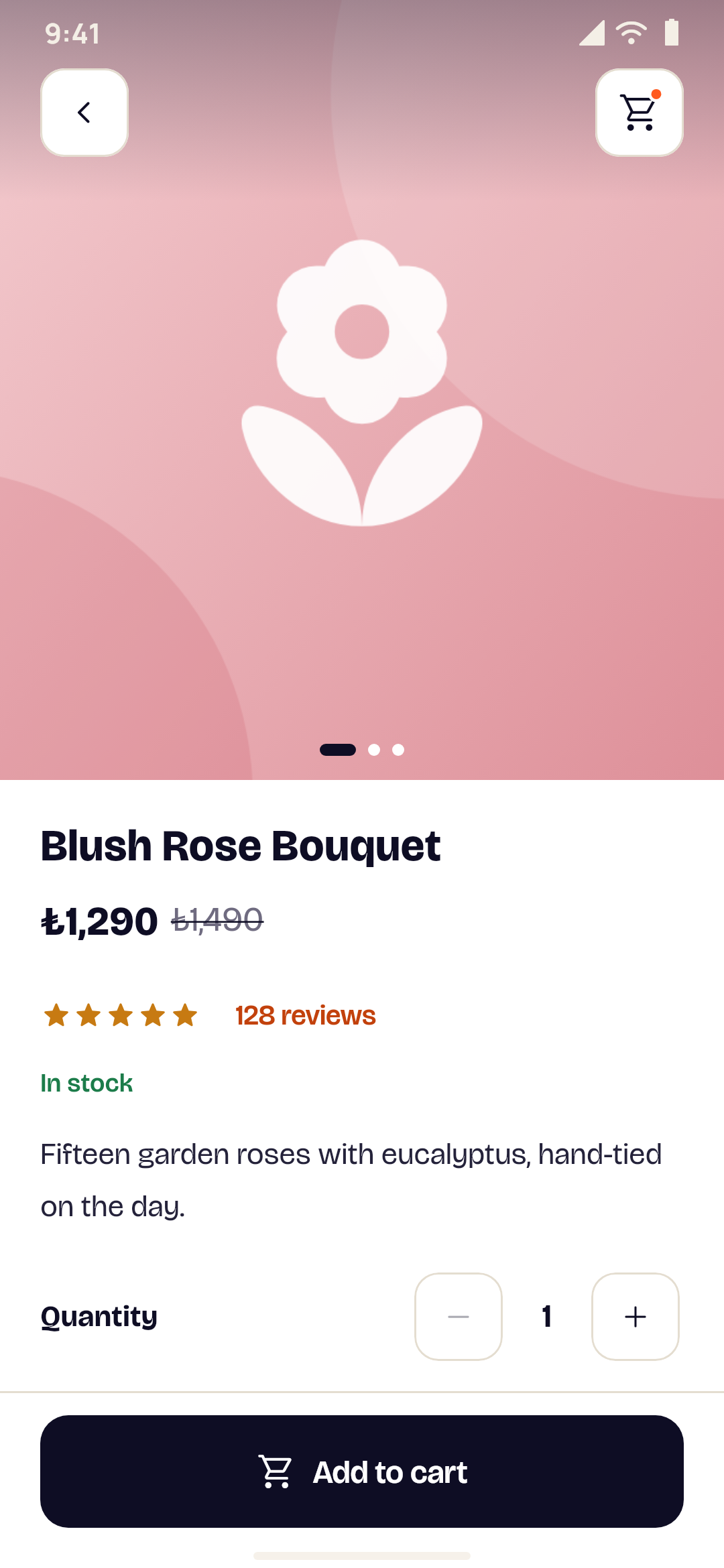
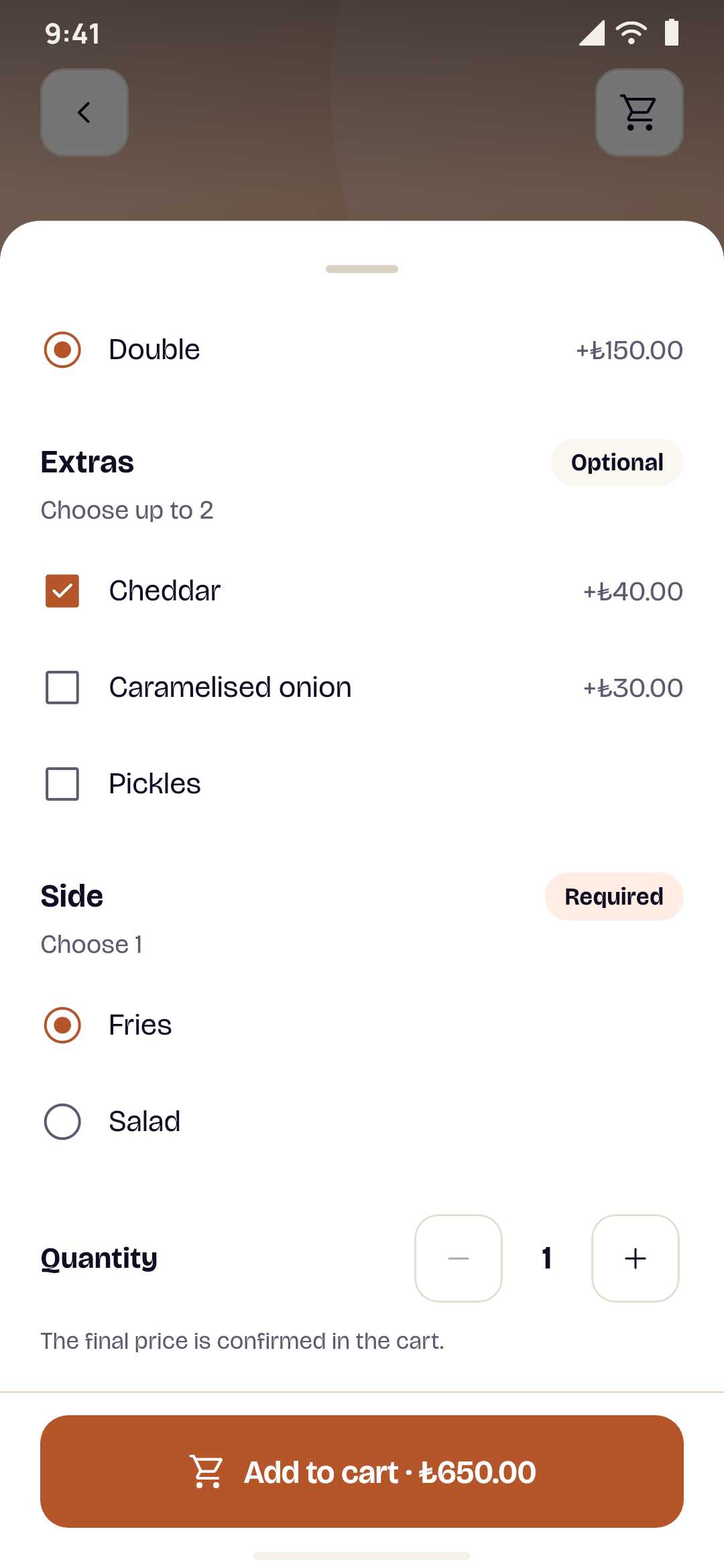
  • A dish with its options: a size, a side and extras
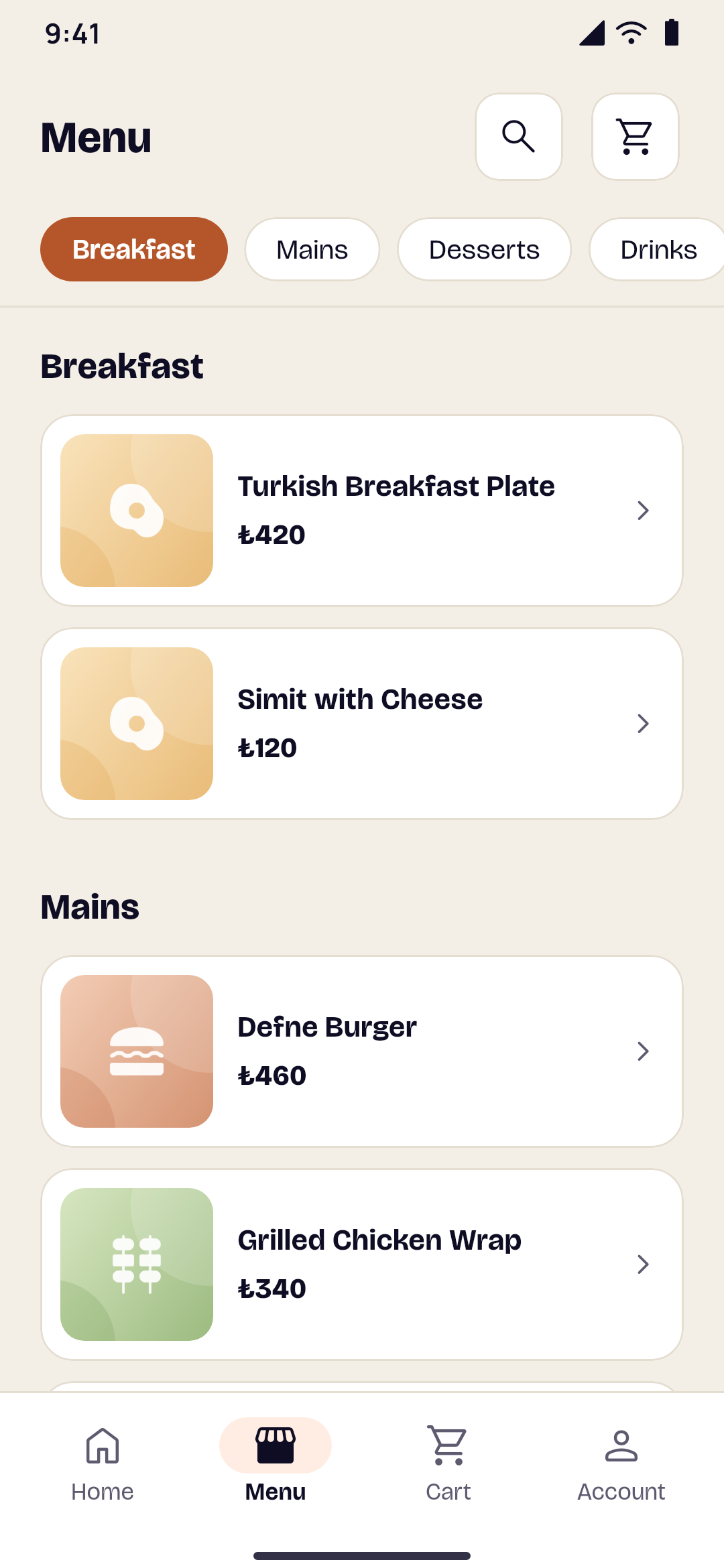
    A café's menu with its categories as tabs
    A regular app

    Restaurant & café apps

    A menu with options, pickup or delivery, and order tracking.

    What it does
    • A menu that reads like oneYour categories as tabs at the top and every dish below them, with its photo, price and description.
    • Dishes the way people like themSizes, sides, sauces and extras, each with its own price. You choose which ones must be picked and how many. Prices are always worked out by our server, never by the phone.
    • Pickup or delivery, now or laterYour opening hours, preparation time, delivery fee, minimum order and the districts you deliver to. When you're closed, the app says when you open and takes orders for later.
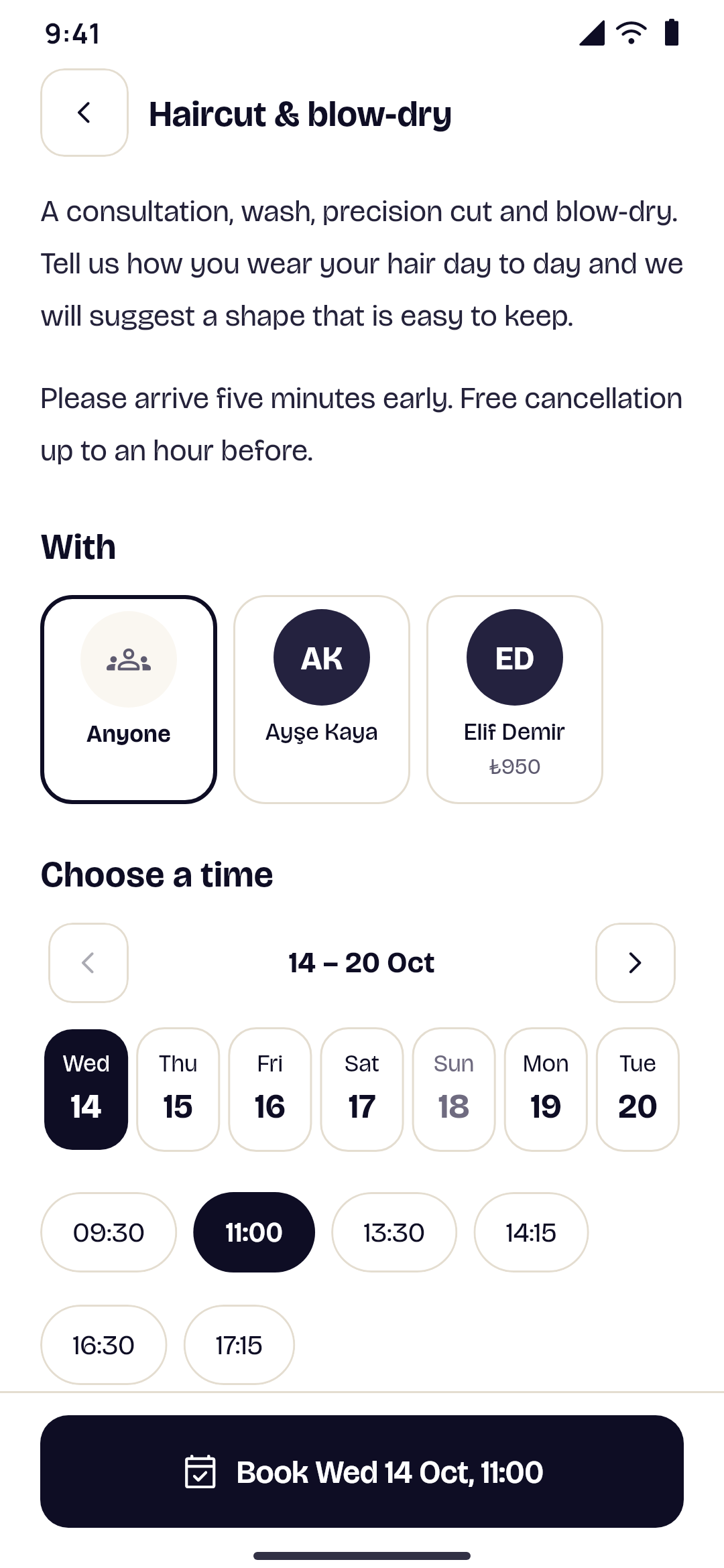
  • Free times to book an appointment
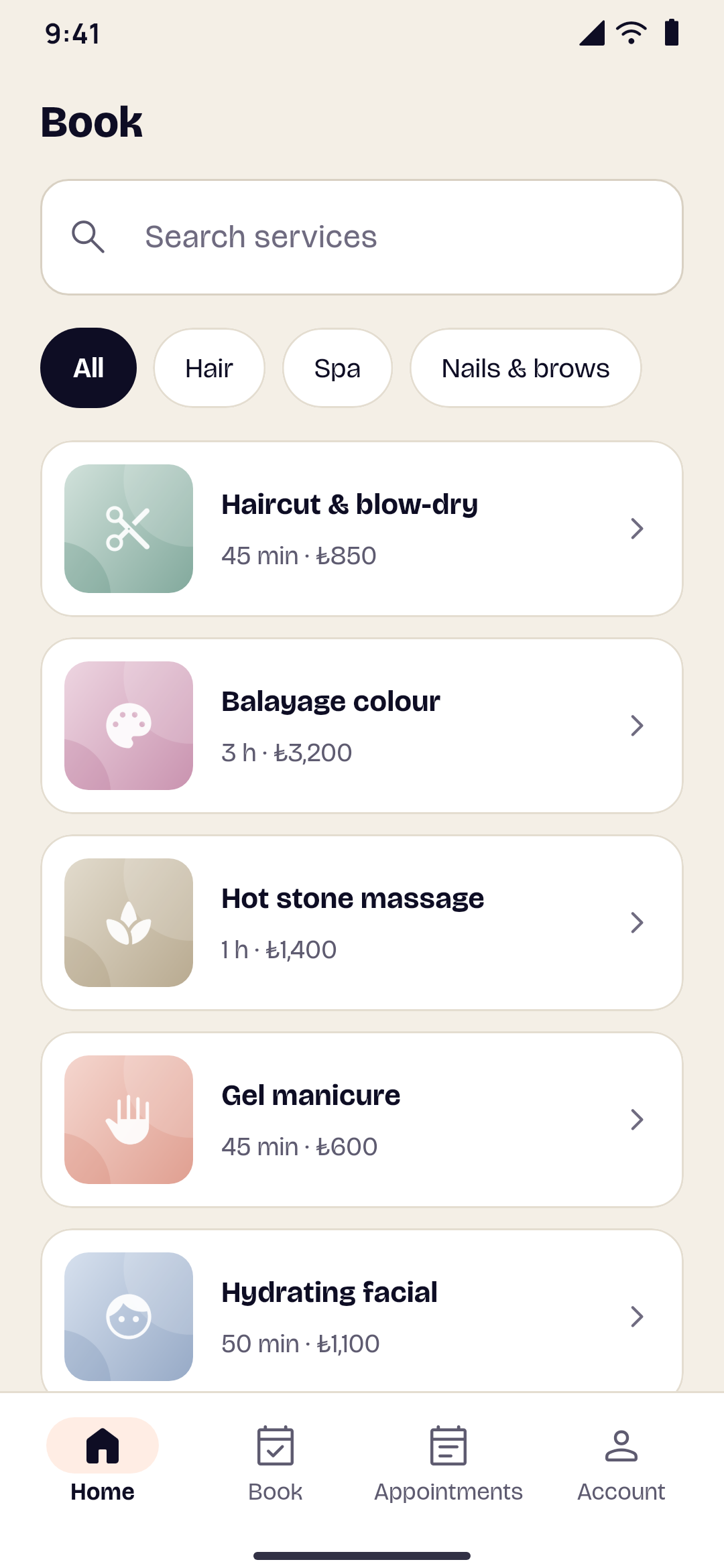
    A bookings app's list of services
    A regular app

    Bookings apps

    Services, staff, free times and appointments.

    What it does
    • Real free timesFree times come from your booking system, in your business's time zone, with working hours, days off and existing appointments taken into account.
    • Your rules applyBookings go through your booking system, so its emails, approvals and calendar sync work as usual. Without a website, you set the rules in the dashboard.
    • Pick a person or anyoneCustomers choose who they'd like to see, or the first person free.
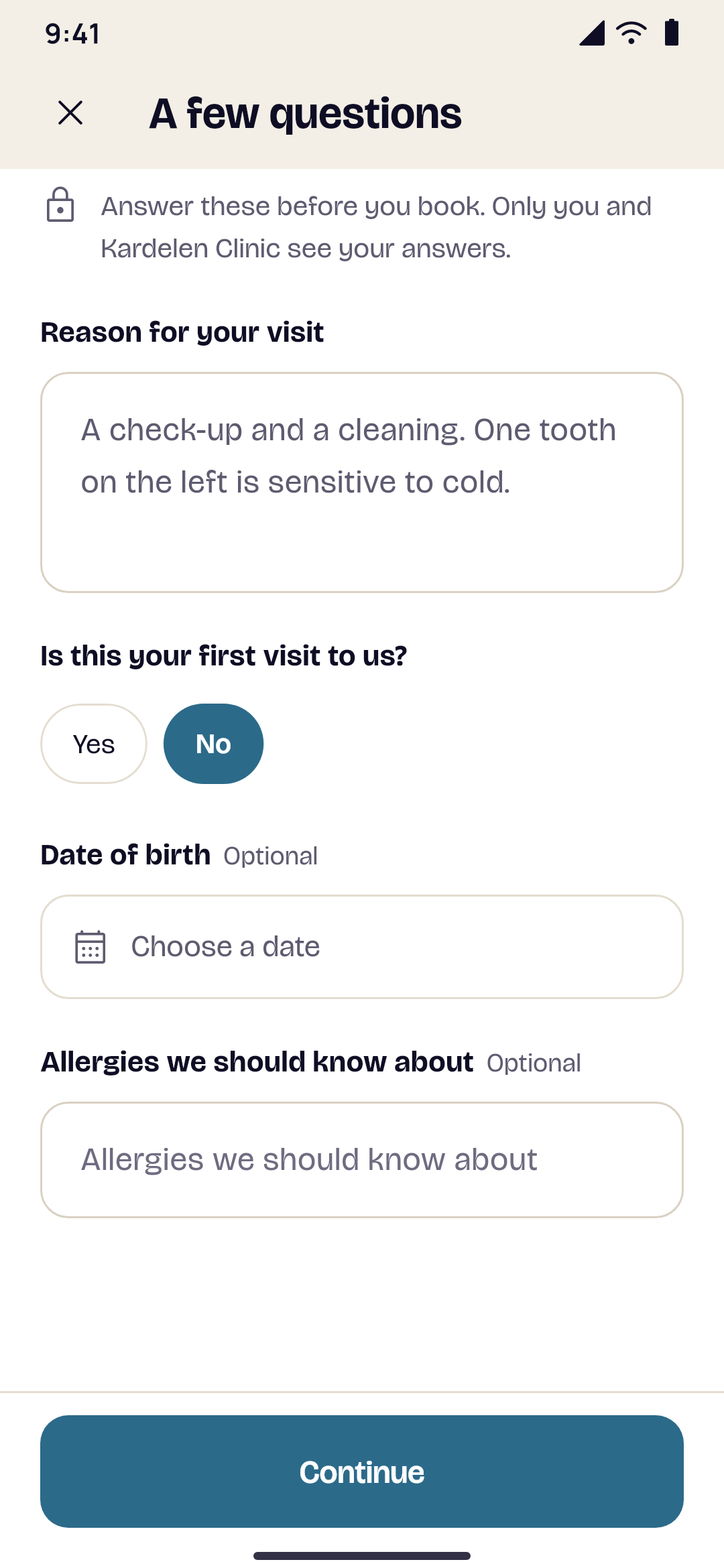
  • The intake form a patient fills in when booking a visit
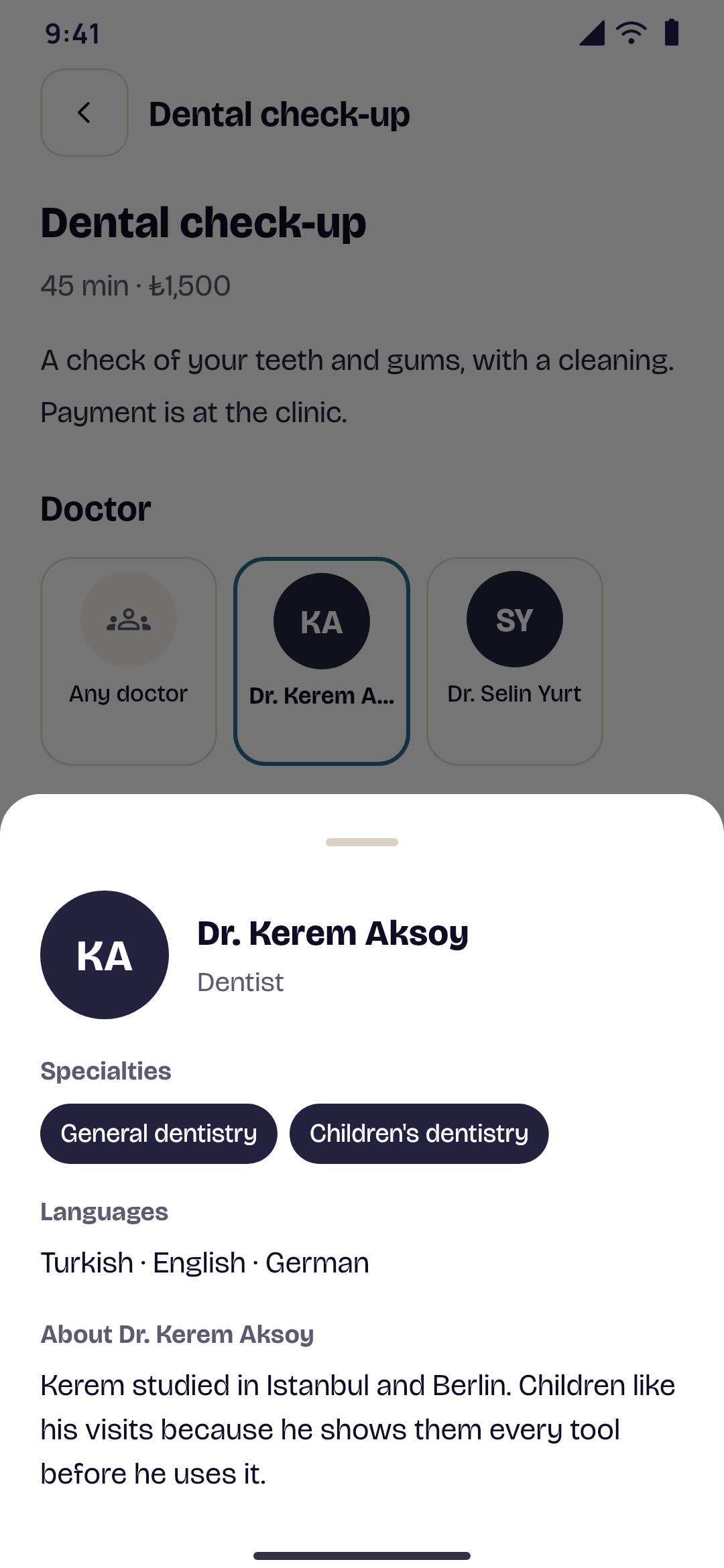
    A doctor's profile with specialties, languages and an introduction
    A regular app

    Clinic apps

    Doctors, visits, an intake form and doctor profiles.

    What it does
    • An intake form before the visitAsk what you need to know before a visit: short or long answers, a date, or a choice from a list. Patients answer when they book, and you choose which questions must be answered.
    • Answers only your clinic seesIntake answers are visible only to the patient, in their visits, and to your clinic, on your dashboard. They're never put in emails or notifications.
    • Doctor profilesEach doctor's role, specialties, the languages they speak and a few lines about them, so patients can choose who they'd like to see.
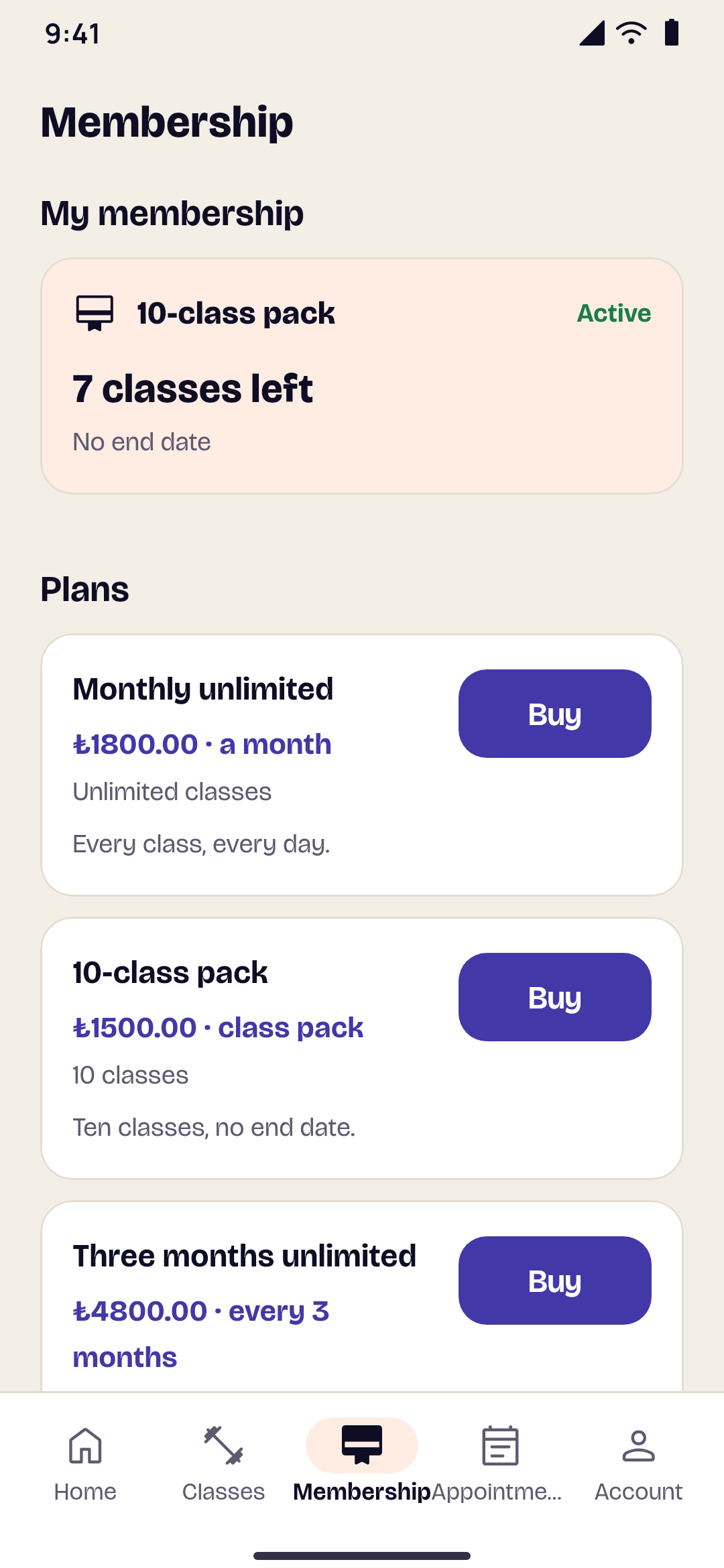
  • A member's membership with the classes left, and the plans on sale
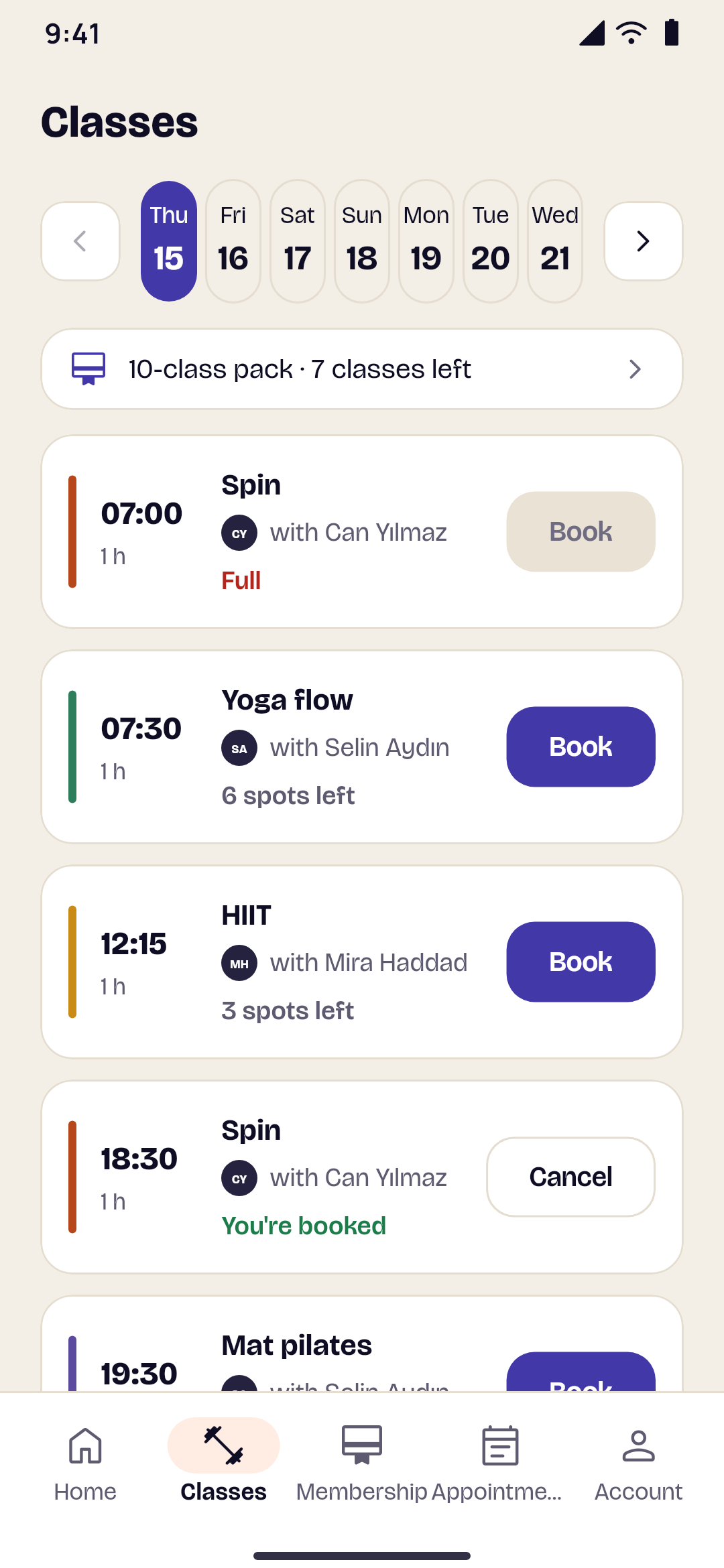
    A gym's class timetable with the spots left in each class
    A regular app

    Gym & fitness apps

    Class timetables, booking a spot, and memberships.

    What it does
    • A weekly timetableSet each class once: the day, the time, the coach and how many spots. The app shows the next eight weeks, and you see who's coming to each class.
    • Never overbookedA spot is booked only while one is left, even when many members book at the same moment. Members give their spot back up to the time you choose.
    • Memberships and class packsMonthly, three-month or yearly plans with unlimited classes or a number of them, and class packs. Members pay by card on your payment page, on Android and iPhone.
  • A bookings app's list of services
    Free times to book an appointment
    A regular app

    Services & companies apps

    Your services, your team and your offers, booked in the app.

    What it does
    • Pages about your companyThe ready-made designs come with an About us page and an Offers page as well as the home page, so people see who you are and what's on offer before they book.
    • Real free timesFree times come from your booking system, or from your team's hours in the dashboard, in your business's time zone. Two bookings never overlap.
    • The people behind your workShow your team, and let customers pick who they'd like or the first person free.
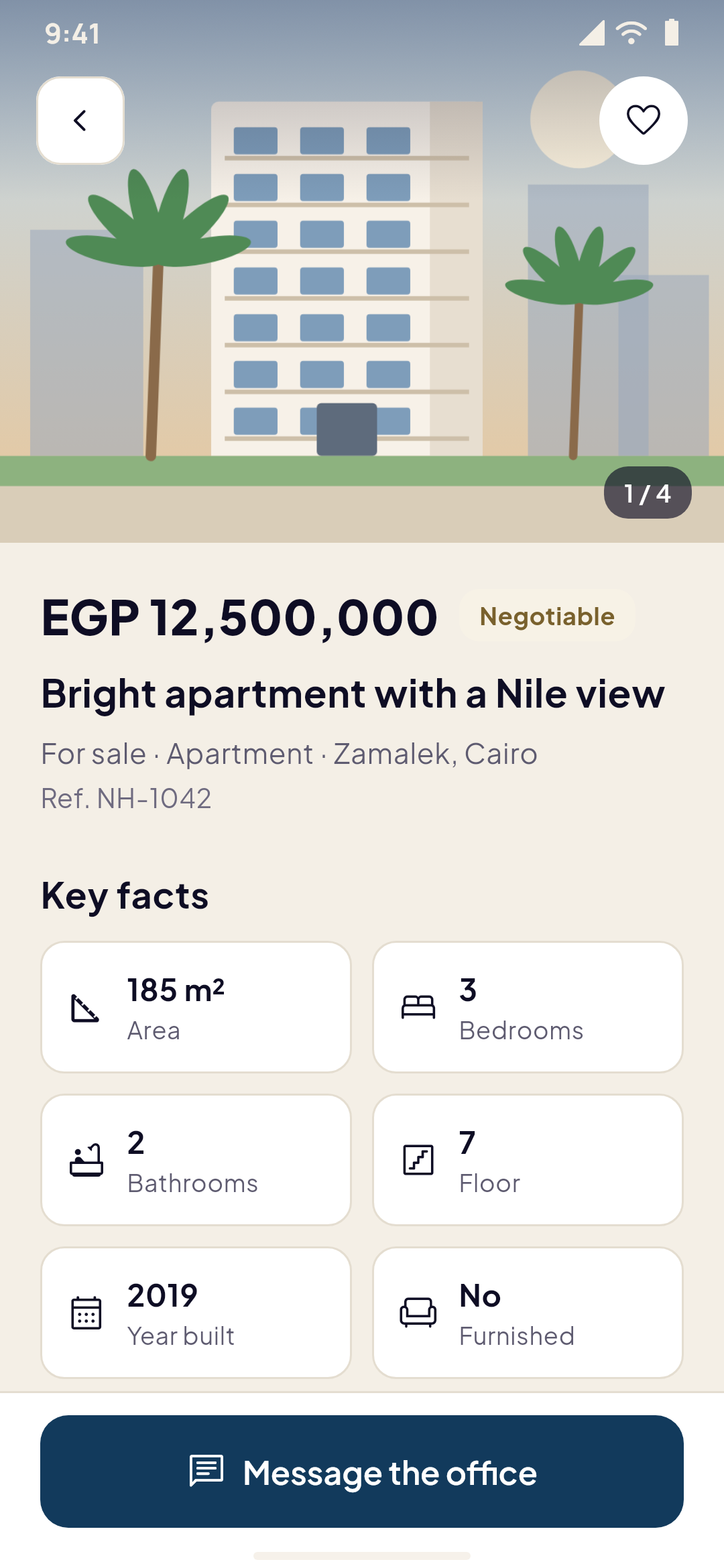
  • A property listing with photos and details
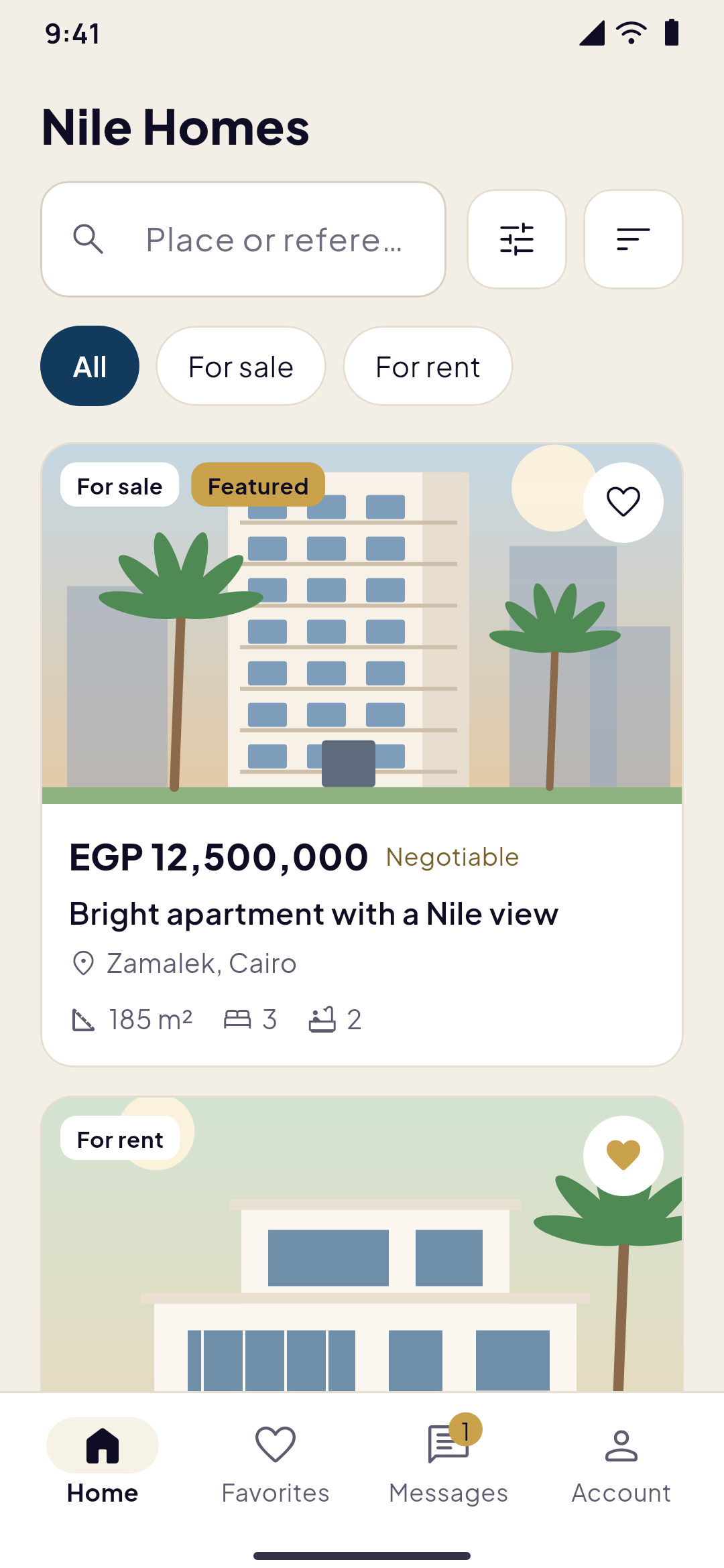
    Property search with filters
    A regular app

    Real estate apps

    Listings with search, filters, favorites and messages.

    What it does
    • Search that finds the right homeFilters for buying or renting, property type, price, rooms, area and place, with sorting and pages of results.
    • Listings that sellOrdered photos, a video link, features, a map position and similar listings on every property.
    • FavoritesPeople save the homes they like and come back to them.
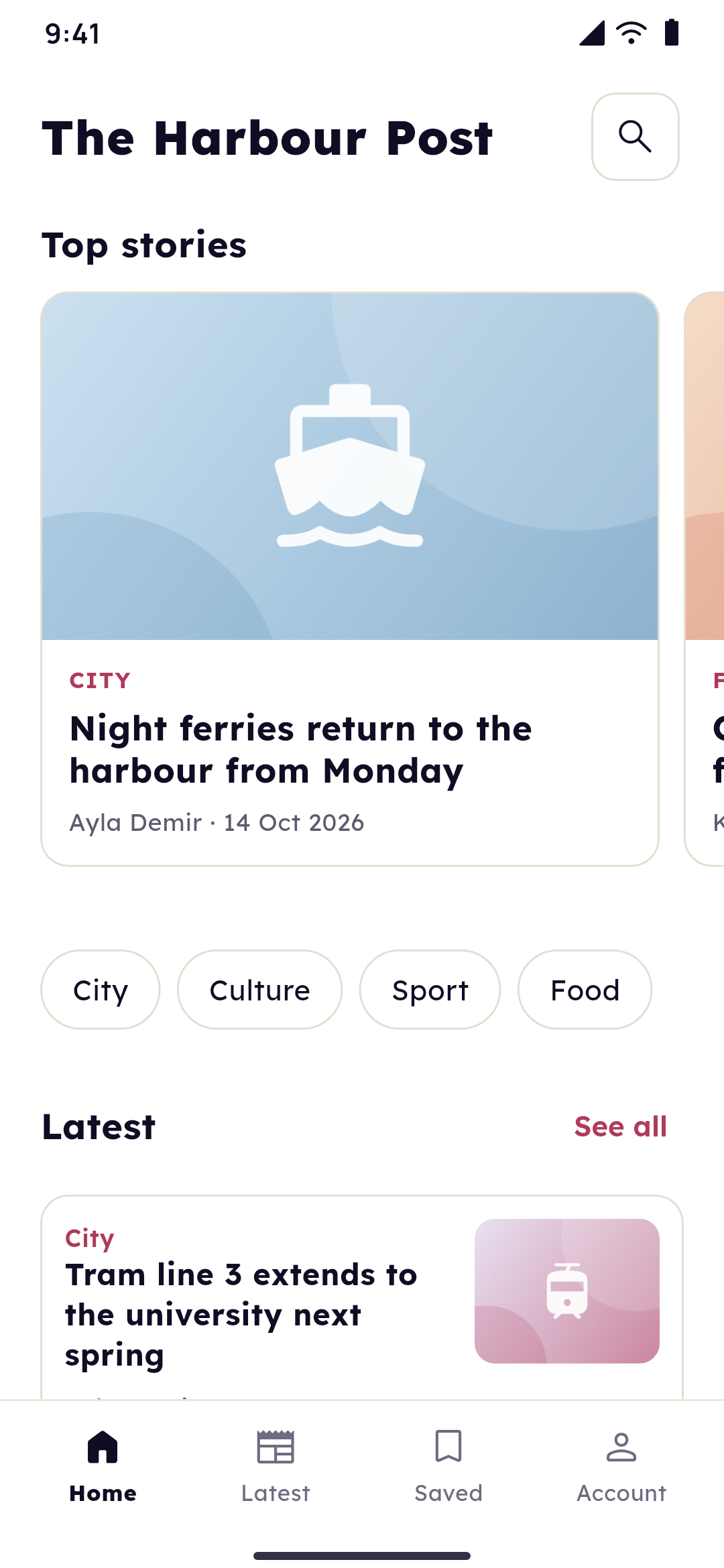
  • An article with its picture, author and date
    A news app's home screen with top stories and sections
    A regular app

    News & blog apps

    Articles, sections, search and breaking-news alerts.

    What it does
    • A front page in your pocketTop stories, the latest articles and a row per section, with search across everything you've published.
    • Breaking newsPush the stories that matter to your readers' phones: automatically for new WordPress posts, or with one tick when you publish in the dashboard.
    • Articles that look rightPictures, YouTube and Vimeo videos and embeds are sized for the phone, the same way lessons are in academy apps.
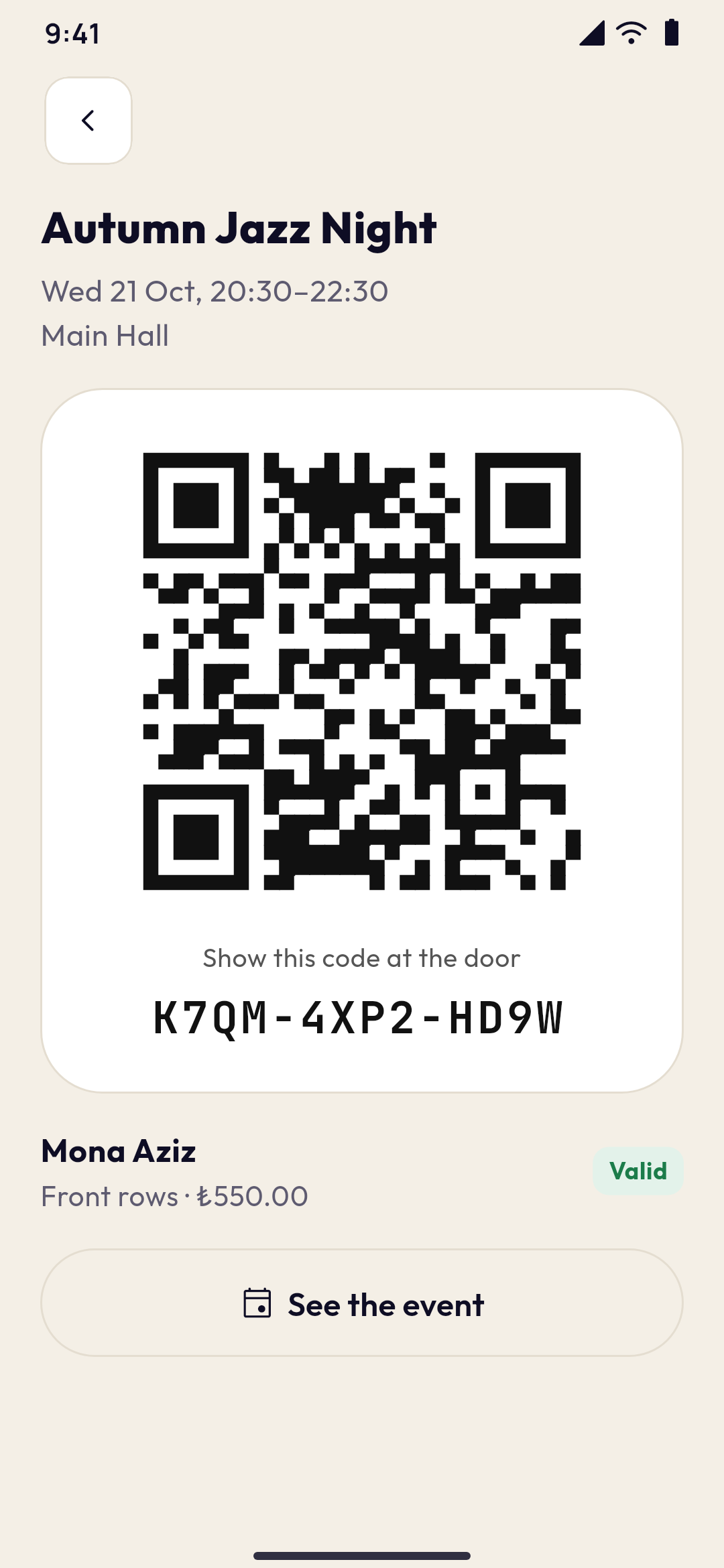
  • A ticket with its QR code, ready to show at the door
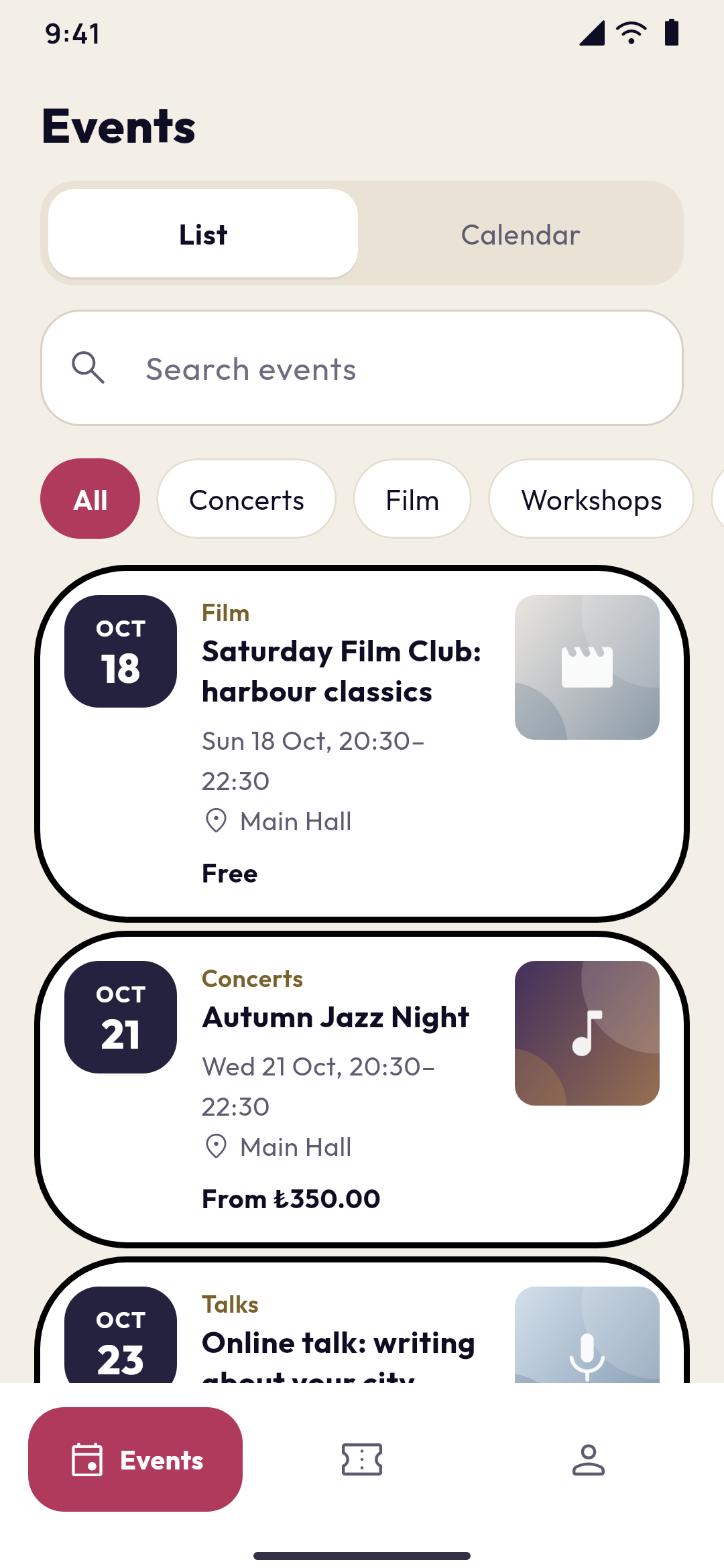
    An events app's list of upcoming events with dates and prices
    A regular app

    Events & tickets apps

    Event listings, free sign-ups and paid tickets with QR codes.

    What it does
    • Your programme in a list and a calendarUpcoming events with their pictures, dates, venue and prices, filters by category and a calendar to pick a day.
    • Free sign-ups and paid ticketsFree tickets in a tap. Paid tickets are paid by card on a secure page and issued once the payment is confirmed. Places never sell twice.
    • Check-in at the doorEvery ticket has a QR code that works without a connection. Scan it with a phone's camera on the Check-in page, or type its code: each ticket gets in once.
  • A campaign with its story, progress and amounts to give
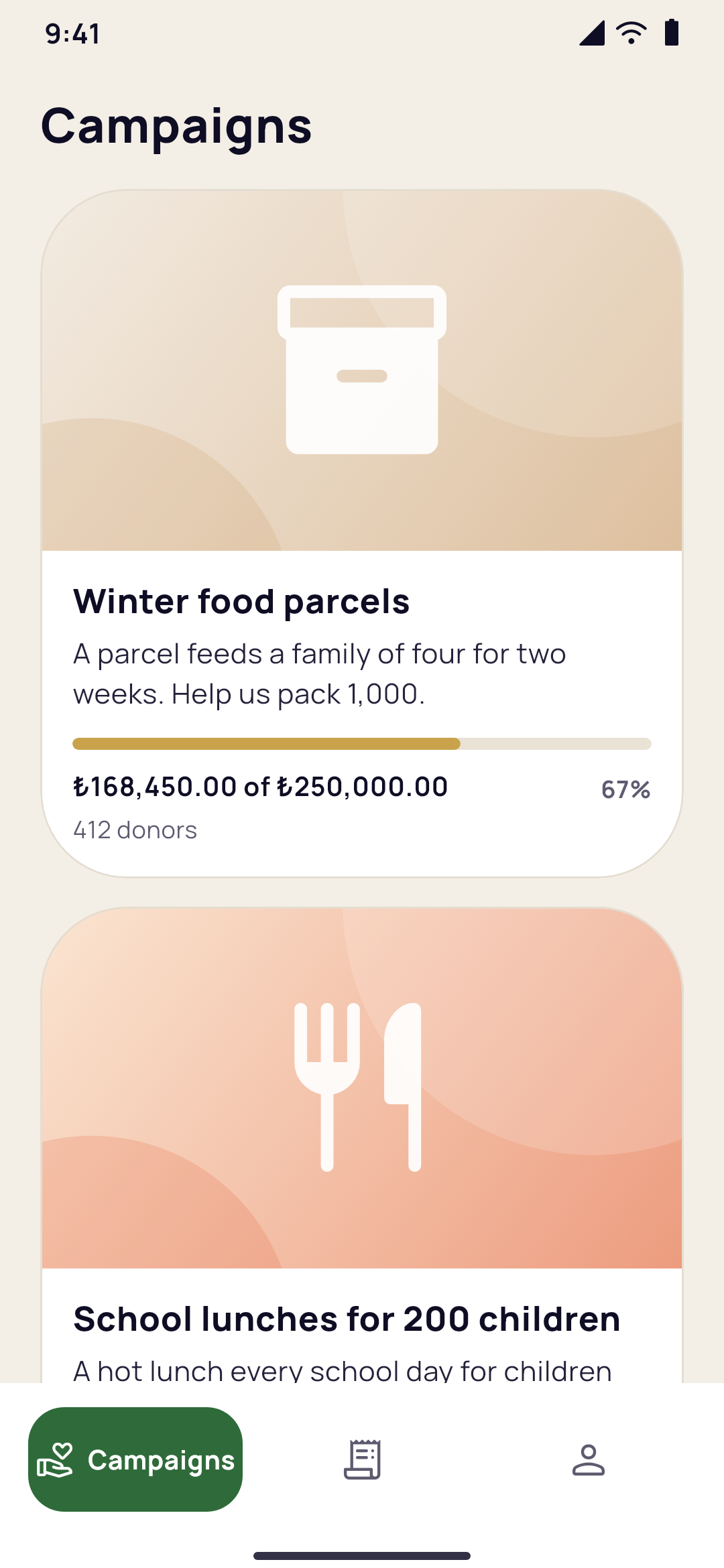
    A charity app's campaigns with how close each is to its goal
    A regular app

    Charity & donations apps

    Campaigns with progress, donations and receipts.

    What it does
    • Campaigns people followEach campaign has its story, pictures, a goal and a progress bar that moves as donations are confirmed.
    • Every gift goes to youDonations are paid on a secure page into your own iyzico, Kashier, Fawaterk, Stripe or PayPal account. Yallapp never touches the money.
    • Receipts without paperworkEach donor gets a receipt by email and finds every donation under My donations in the app.

22:00 · The receipt

No code, no agency: four lines on one receipt.

Your colours on the first screen. A QR code, and it opens on your own phone.

You look at it longer than you'd ever admit.

How it works

From idea to the stores in four steps

No code and no agency. You set your app up in your account, and Yallapp builds it.

Receipt · your own app

Black Friday1–30 November 2026, Istanbul time

  1. 01Create your account and chooseA minute

    Sign up, then choose how you make your app: the app editor, for an app from your website, shop or academy, or Yallapp Studio, where every screen is designed. Then pick your kind of app.

  2. 02Design itAt your pace

    Your name, icon, logo, colours and template, then your pages: from blocks in the page editor, or element by element in Studio. Preview your app in your browser and on your phone before you pay anything.

  3. 03Connect a website, or don'tMinutes, with the guides

    The Yallapp plugin for WordPress, a platform such as Shopify, ikas or Salla, your own API, or no website at all: you add your products, courses or services in the dashboard.

  4. 04Build and publishA build usually takes 15 to 45 minutes; the stores' reviews usually a few days

    With your plan, the app builds once the setup is complete. You publish it with our step-by-step guides, or we publish it for you on the plans that include it, on Google Play, the App Store and three more stores.

Total−50%

Thank you. See you in the stores.

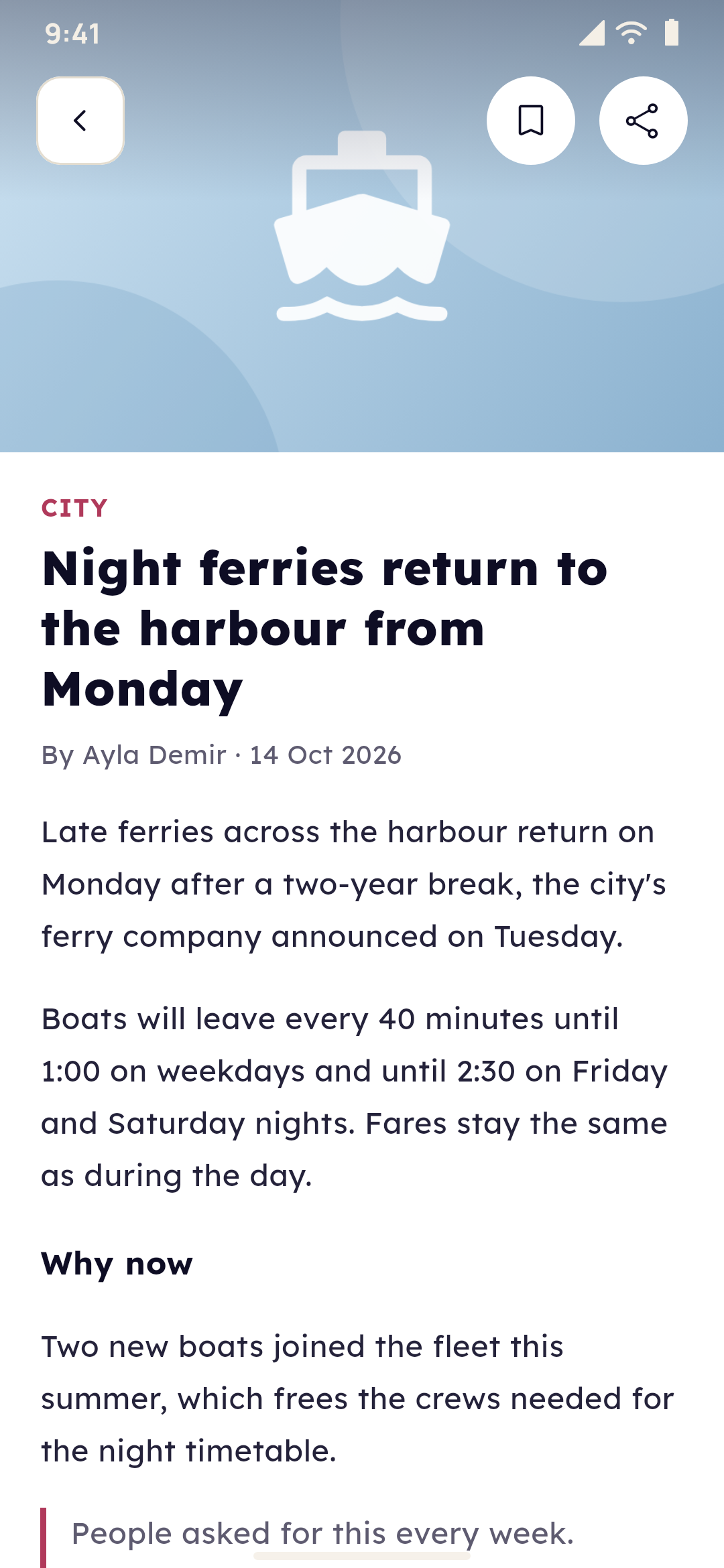
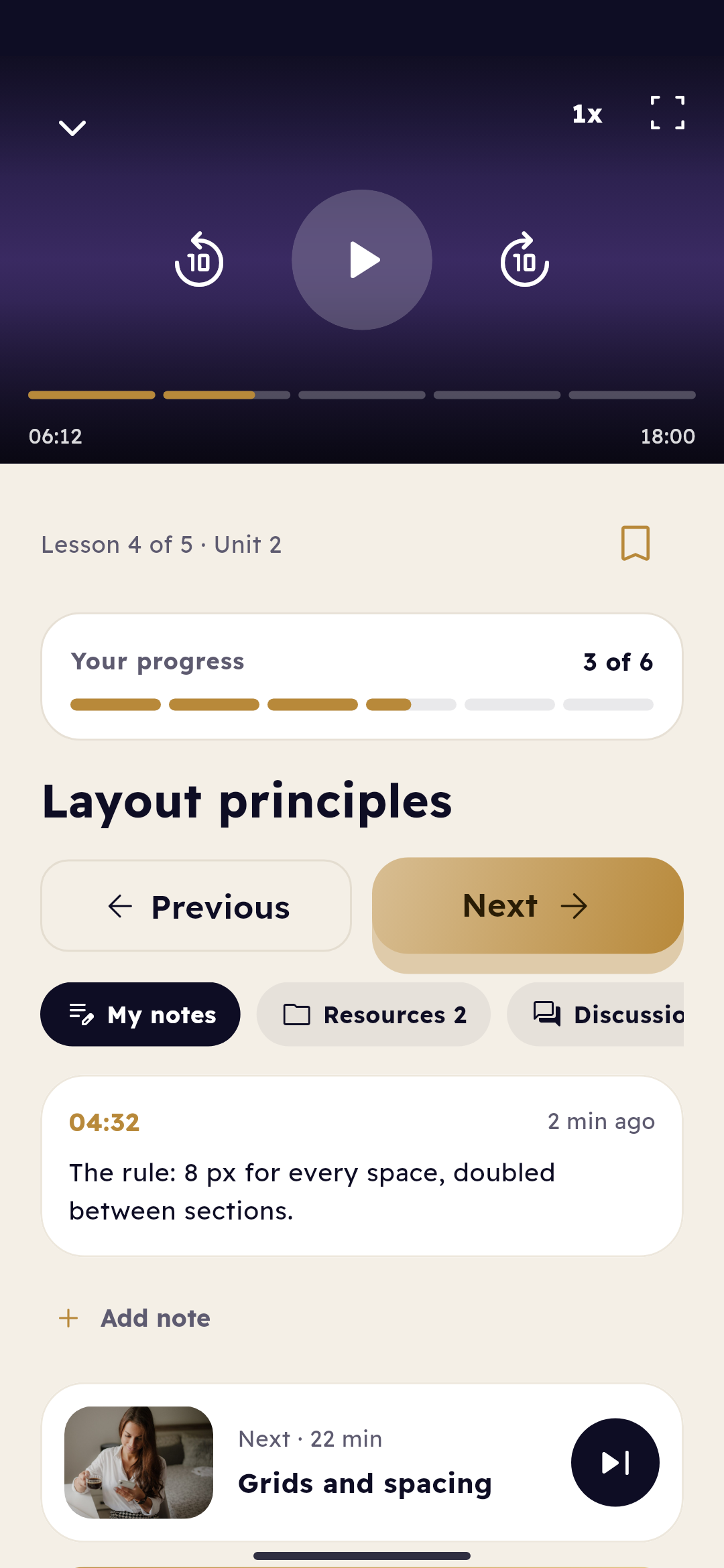
A lesson: the player in gold, the student's notes at their moment of the video, the files, the next lesson and the unit's quiz

23:40 · Unboxing

You were expecting an app. The box holds a whole system.

Lift it out part by part and look closely: this is what you pay for.

Everything included, explained

What a Yallapp plan gives you

The whole system, part by part, so you know what you pay for. Where a plan decides, it says which.

Your app

A real app on the phone, with your brand and screens made for what you do.
5 parts
  • Android and iOS, in your nameYour app carries your name, icon, logo and colours, with your own package name and bundle ID, published under your own developer accounts. The Android app comes with every plan; the iOS app with Growth and up, and with the Studio plans that include it.
  • Native screens for your businessCourses and lessons, products and the cart, menus and orders, services and free times, listings, tickets and campaigns each have screens of their own, drawn by the app itself.
  • Sign-in with a one-time codePeople sign in with their phone number and a code we send on WhatsApp in your app's name, so there's no password to remember. You can offer email too, and set how many devices each person may use.
  • Your look, light and darkThree templates (Classic, Bold and Minimal), six fonts, your colours and corners, and light and dark mode. Offline mode, on Growth and up, shows what people last saw without a connection.
  • The stores' rules, handledAccount deletion in the app, a review number with a fixed code for Apple's and Google's reviewers, and on iOS no purchase button for paid courses unless you sell them through the App Store's in-app purchase.

Your dashboard

Where you set the app up and change it, without a new version in the stores.
5 parts
  • Pages without a new buildBuild your screens from blocks such as banners, lists, videos and buttons, keep a draft and publish: the app shows the change the next time it opens. Starter has the simple editor for the ready-made pages; Growth and up the full one.
  • Preview before you buildPreview your app runs your real app in your browser, with your content, pages and languages, in light and dark. Scan its QR code to open it on your phone.
  • Content without a websiteNo website? Add your products, courses, services, listings, events or campaigns in the dashboard, and the app shows them.
  • Analytics, chat and loyaltySee how people use your app on every plan. Chat with your customers in the app on Pro, Business and every Studio plan, and give loyalty points in shops without a website on Growth and up.
  • Several apps in one accountAn academy and a shop, for example, each with its own plan, look, content, store listing and builds, in one dashboard.

Yallapp Studio

For apps that need more than a template: you design every screen, and Studio makes kinds of app nothing else here does.
5 parts
  • A free visual editorRows, columns, layers, texts, pictures, buttons and lists in cards you design. Any element goes anywhere, with colours for light and dark mode and motion, drawn natively on the phone.
  • Projects only Studio makesDelivery companies with their couriers, food delivery from many restaurants, multi-vendor apps, rides and live taxis, academies with many teachers, schools and universities.
  • An app for your team tooCouriers and drivers work in a second app in your name, or couriers in Yallapp Courier, Yallapp's own app for them. A school's teachers and staff get a staff app.
  • Design before you payMake a project, design it and try it before you choose a plan. Publishing needs one of Studio's plans.
  • Studio's own plansEvery Studio plan has the editor, notifications, card payments, offline mode, automatic rebuilds, chat and loyalty points. The iOS app, publishing for you and the kinds of project are chosen plan by plan.

Payments

Your customers pay you, the way the stores allow.
4 parts
  • Your own checkoutShops on WooCommerce, Shopify, ikas, Ticimax, IdeaSoft, Wix, Salla or Zid sell through the checkout they already have.
  • Cards without a websiteShops and academies without a website take cards on a secure iyzico, Kashier, Fawaterk, Stripe or PayPal page, into their own merchant account, on Growth and up.
  • No cut of your salesYallapp isn't a party to your sales and takes nothing from them. You pay Yallapp only for your plan.
  • In-app purchasesSell courses and memberships in the app through Google Play and the App Store, on Growth and up and on every Studio plan.

Notifications

Reach people's phones, on every plan.
3 parts
  • Push notificationsSent through your own Firebase project, free for this use, with an inbox in the app and people choosing what they receive.
  • From the dashboard, or by themselvesWrite to everyone from the dashboard. On WordPress, new lessons, announcements and answers send a notification by themselves.
  • At each stageIn delivery, food and ride projects, customers get a notification at each stage of their order, parcel or ride.

Languages

One app for people who read different languages.
4 parts
  • Arabic and Turkish, translated for youEvery app is in English. Yallapp translates the app's own texts into Arabic and Turkish, and you can add any other language and translate it yourself.
  • Right to leftIn Arabic, Persian, Hebrew or Urdu, the whole app turns right to left: menus, lists, icons and text.
  • Your texts in each languageTranslate your pages and tabs in the dashboard, or export a spreadsheet, fill it in and import it back.
  • By planOne language on Starter, three on Growth, and every language on Pro, Business and the Studio plans.

Publishing

From your account to the stores, under your own name.
5 parts
  • Five storesGoogle Play, the App Store, Samsung Galaxy Store, Huawei AppGallery and Xiaomi GetApps.
  • Every file you needThe Android APK and App Bundle, the iOS build, your signing key, and your store icon, graphics and texts.
  • You publish, or we doOn Starter and Growth you publish with our step-by-step guides. On Pro, Business and the Studio plans that include it, we publish your app and every update for you.
  • Your own developer accountsGoogle charges a one-time fee and Apple a yearly one, paid to them, not to us. Samsung, Huawei and Xiaomi accounts are free.
  • Keys kept safeStore, payment and signing keys are encrypted and never shown again, and a saved Android signing key is never replaced, so you can always update your app.

The WordPress plugin

Your WordPress site, as an app, without moving your content.
5 parts
  • One plugin, live contentInstall the Yallapp plugin and it finds your course, shop or booking plugin and serves its content to your app, live.
  • Works withTutor LMS, LearnPress, LifterLMS, MasterStudy LMS, Sensei LMS, Masteriyo and LearnDash for courses, WooCommerce for a shop, and Amelia, BookingPress and LatePoint for bookings.
  • Your users stay yoursPeople sign in with their account on your website, and apps on WordPress keep their users on your site, with no limit on app users.
  • Other platforms tooShopify, ikas, Ticimax, IdeaSoft, Wix, Salla, Zid, Teachable, Thinkific and SimplyBook.me connect with their keys, and a developer can connect your own API.
  • What it needsWordPress 6.0 or later with PHP 7.4 or later, on https. It updates like any other plugin.

Support

People who answer, and guides for every step.
5 parts
  • WhatsApp and emailEvery page of your dashboard has a Support link that opens WhatsApp with our team. You can also email us.
  • By planEmail support on Starter, WhatsApp on Growth, priority support on Pro, and on Business the fastest, with your own account manager.
  • Step-by-step guidesDocumentation for each store, each platform and each part of the dashboard, in plain words.
  • When a store says noSend us the rejection and we help you reply. Most rejections have a quick fix.
  • WordPress set up for youNo website yet? Choose to have us set up WordPress, and our team messages you with the price and the next steps.

00:10 · The small print

Before you pay, you turn the coupon over.

No hidden conditions, no surprises: everything is written out in front of you.

The offer's terms

The terms, plainly

Everything the code does and doesn't do, before you pay.

−50%Your codeBLACKFRIDAY501–30 November 2026, Istanbul time
  1. 50% off every plan: Starter, Growth, Pro and Business for regular apps, and every Yallapp Studio plan.
  2. Monthly or yearly: each plan is paid for its period, as its card shows, and the discount is taken off that price.
  3. One payment: the code lowers the payment you make with it, for a new app's plan or for a renewal. The renewals after it are at the plan's normal price.
  4. Once per account: each account can use the code once, whichever app it pays for.
  5. The days: from 1 November 2026 to 30 November 2026, Istanbul time, from 00:00 on the first day to 23:59 on the last.
  6. How to use it: on your app's Plan page (License & plugin for a WordPress site), choose the plan, enter BLACKFRIDAY50 in the coupon box, select Apply, and check the new price before you pay.
  7. Card payments: the code works on the card payment form. Storage packs paid with the plan keep their own price.
  8. After the days: the code is refused from the end of 30 November 2026. A plan paid with it keeps its whole paid period.

Our refund policy applies as usual.

00:30 · The last questions

It's late, and the questions come one by one.

Here are their answers, before you sleep.

Questions about the offer

№ 01

What is Yallapp's Black Friday offer?

50% off Yallapp's plans with the code BLACKFRIDAY50, from 1 November 2026 to 30 November 2026, Istanbul time. It lowers the payment you make with the code, monthly or yearly.

№ 02

Which plans are in the offer?

Every plan: Starter, Growth, Pro and Business for regular apps, and every Yallapp Studio plan the team offers. The cards above show each plan's normal price and its price with the code.

№ 03

Does it work on monthly and yearly plans?

Yes. Each plan is paid monthly or yearly, as its card shows, and the discount is taken off that price.

№ 04

Is every payment discounted?

No. The discount is for the payment you make with the code. The renewals after it are at the plan's normal price.

№ 05

I already have an app. Can I use the code?

Yes, once per account: on your next renewal, or on the plan of a new app in the same account.

№ 06

Can I use it for two apps?

No. Each account can use the code once, whichever app it pays for. Your other apps are paid at their normal price.

№ 07

How do I use the code?

On your app's Plan page (License & plugin for a WordPress site), choose the plan, enter BLACKFRIDAY50 in the coupon box and select Apply. The price updates before you pay by card.

№ 08

When does it end?

At 23:59 on 30 November 2026, Istanbul time. After that the code is refused and the plans are at their normal price.

№ 09

Which currency will I pay in?

Prices show in Egyptian pounds in Egypt and in US dollars everywhere else. The payment page shows the exact amount charged before you pay, and your bank converts it if your card is in another currency.

№ 10

Can I try my app before I pay?

Yes. Create your account, set your app up and preview it in your browser and on your phone before you choose a plan; a Studio project can be designed and tried first too. A plan is needed to build and publish.

№ 11

Do I need a website?

No. Your app can take its content from your website, a platform such as Shopify, your own API, or the Yallapp dashboard if you have no website.

№ 12

How long until my app is in the stores?

Once the setup is complete, a build usually takes 15 to 45 minutes. Google's and Apple's reviews usually take a few days after you submit.

08:00 · The morning after

Morning. The first screen is still open on your phone, in your colours.

In a few days it's in the stores. Then a notification: the first order, or a first lesson watched to the end.

It all started on a Friday evening.

Your app, 50% off, until 30 November 2026

Create your account, design your app and preview it for free. When you choose your plan, the code takes 50% off.

BLACKFRIDAY50

Ready to put your business in your customers' pockets?

Tell us about your business on WhatsApp, or create your account and start the setup today.